Construction cost estimating software
Win the work. Keep the numbers working.
Build a detailed estimate in Buildend. Turn the approved estimate into the project budget—so your team starts the job with the numbers it already worked to get right.
01 / Build the estimate
02 / Establish the budget → 03 / Manage the job
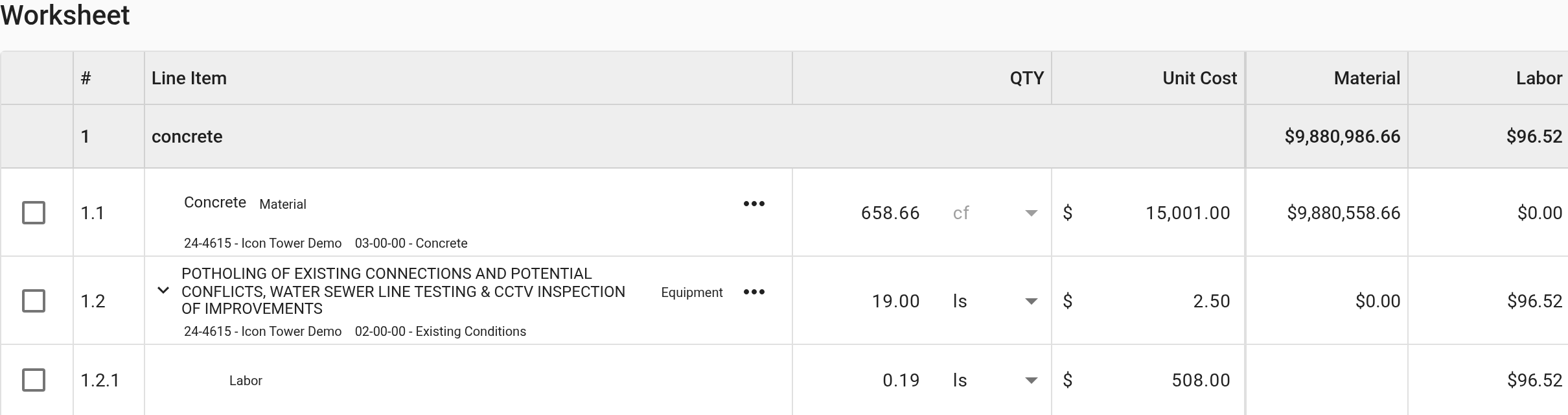
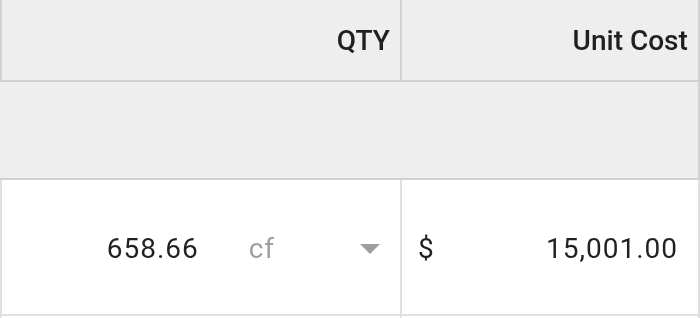
Actual Buildend estimate worksheet · Demo data · Cropped to show line-item quantities and cost categories
For contractors connecting preconstruction with project financial control—not just looking for a faster total.
Estimate with the detail the work demands
A number is only useful if your team can check it.
Construction cost estimating software turns quantities, unit costs, labor, equipment, subcontractor pricing, markups, and contingency into a priced scope of work. Takeoff measures the work; estimating puts a cost to it.
Price your own work
Use your company’s cost library and separate material, labor, equipment, and commitment costs. Keep rates and productivity assumptions under your team’s control.
Compare the whole scope
Review subcontractor bids alongside inclusions and exclusions. Compare the same scope, then verify how the negotiated award becomes a subcontract commitment.
Review before you commit
Check quantities, rates, markups, and contingency before the bid goes out. Software supports the review; it does not replace estimator judgment.
Put one difficult assembly to the test.
Bring a real drawing and estimate. Ask us to show the assembly setup, quantity traceability, revision handling, and proposal output your estimator needs—not just a clean sample total.
After award
Your approved estimate should be a starting point. Not a restart.
Buildend turns the approved estimate into the project budget. Then use connected financial records to manage commitments and changes as the job develops.

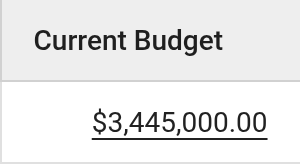
Actual Buildend Budget Manager · Demo data · Original budget, approved changes, and current budget shown separately
01
Establish the budget
Check transferred totals, cost-code mapping, scope, and allowances before the team begins spending.
02
Track commitments and changes
Keep subcontracts, purchase orders, invoices, and approved changes in the financial workflow.
03
Review the position
Separate budget, committed cost, actual cost, and forecast. A commitment is not an actual cost; the forecast still needs judgment.
In your demo: follow one cost code from estimate to budget, through a purchase order, invoice, and change. Confirm what moves automatically and what your team still reviews.
Choose the problem worth solving
Keep what works. Fix the handoff that doesn’t.
Your estimate works. The handoff doesn’t.
If Excel or a specialist estimator serves you well, start by evaluating the transfer into project financials. Confirm the import route, cost-code mapping, and manual steps before replacing anything.
Your estimating process needs structure, too.
If pricing lives in disconnected copies and reviewing scope is difficult, evaluate Buildend’s estimating workflow and its post-award continuity together.
Make accounting a buying test
“Integrates” is the start of the conversation.
Buildend lists Sage 100, Sage 300, QuickBooks Desktop, QuickBooks Online, and Yardi integrations. Validate your exact edition and workflow; a listed connection is not a promise that every record syncs both ways.
Agree on the data contract.
— Which system owns vendors, cost codes, bills, and payments?
— Where is each record entered—and in which direction does it move?
— How fresh are actual costs, and who resolves a failed or duplicate transfer?
See one real transaction move.
Have accounting join the workflow session. Confirm the connector or export/import path, supported records, manual steps, setup fees, and exception handling before committing.
Confirm exactly what moves—and where accounting remains the system of record.
A plan your team can operate
Change the workflow. Don’t surprise the people running it.
Plan the rollout around real roles, active projects, and a named internal administrator—not a promise that setup takes care of itself.
Estimator + project manager
Review pricing and scope, validate the opening budget, and agree how later changes are handled.
Coordinator + administrator
Set up permissions and approval routes. Own record quality, workflow upkeep, and team adoption.
Accounting + field team
Confirm entry and reconciliation responsibilities. Give field users the information their role needs—not unrestricted financial access.
Agree on the transition before the subscription.
Scope a new-project pilot where practical. Decide which active transactions migrate as usable records, which history stays in an archive, and who reconciles the opening balances.
Buildend uses custom platform pricing. Ask for an itemized quote: subscription, accounting connection, configuration, migration, training, internal admin time, and overlap with current tools. Timing and cost depend on scope.
A few practical questions
Before you shortlist.
Does estimating software supply current local market prices?
Do not assume it does. Buildend supports a company cost library; confirm who supplies, updates, and checks the rates your team will use.
Can our field team use it offline?
Check the specific field task, device, and reconnect behavior during your evaluation. Mobile access does not by itself establish offline support; confirm offline estimating separately.
Can we keep usable records if we leave?
Request a sample export and confirm which records, attachments, and links it includes, plus retention and access terms. A readable archive is not the same as reusable transaction data.
Bring a real job
Don’t watch another feature tour. Test your next financial handoff.
Bring an estimate, one drawing, a subcontractor quote, and your accounting edition. Invite the estimator, operations lead, and person who will own the workflow.
Leave with a clear fit assessment, manual steps, open requirements, and a scoped next step.