Three Procore alternatives worth comparing are Buildend for connected financial and approval workflows, Autodesk Forma for model-heavy coordination, and Buildertrend for residential projects and homeowner communication. If project financials are driving your search, shortlist by the contract, reporting, and accounting process you need to improve - not the number of features advertised.
For general contractors, the problem is concrete: forecasts stay in Excel, change approvals stall in email, and project costs need re-entry in accounting. A replacement should reduce those handoffs without disrupting active jobs or giving your coordinator another system to maintain.
Procore already offers financial management and accounting integrations. Before switching, establish whether the gap comes from your configuration, purchased products, or connector. Then compare alternatives using the same lump-sum, cost-plus, or time-and-materials workflow and the reports your team needs.
Based on vendor sources and user reviews - not hands-on testing - this guide covers:
- Procore's strengths and buying considerations, plus a side-by-side comparison of three alternatives.
- Each alternative's financial capabilities, broader project fit, trade-offs, and pricing model.
- How to test accounting sync, permissions, field usability, and migration before committing.
Quick refresh: What does Procore offer?
Procore is a construction management platform for general contractors, specialty contractors, owners, and other project stakeholders. Its project management offering organizes drawings, documents, requests for information (RFIs), submittals, schedules, and daily logs so teams can coordinate project work.
Its financial management offering adds budget tracking, forecasting, project financials, and invoice management. Procore also offers accounting integrations, including partner-built connections.
Across this category, the scope can extend from project records into estimating, bids, quality and safety, time capture, and financial workflows. Those capabilities are not necessarily part of the same subscription. Procore lets customers select products; check what your contract includes before treating an unavailable workflow as a platform limitation.
Project financials are not the same as accounting. Tracking budgets, commitments, and changes does not automatically replace your general ledger or payroll system. Compare how the proposed platform works with the accounting system you intend to keep.
Procore pros and cons
Procore's breadth and unlimited-user model are reasons to keep it on the shortlist. Its product-based, construction-volume pricing and the details of your accounting connection are the main purchase considerations to resolve.
Pros
- Broad project coordination: Drawing control, RFIs, submittals, daily logs, and schedules support work across project stakeholders rather than only internal task tracking.
- Financial and accounting options: Budgeting, forecasting, invoice management, and accounting connections give you options to investigate before replacing the platform.
- Access and support for collaborators: Its pricing page advertises unlimited users, data, and 24/7 support, plus training and implementation services. Field Productivity is a stated pricing exception, based on full-time-equivalent employees (FTEs).
Cons and buying considerations
- Procore uses selected products and annual construction volume to calculate its upfront annual fee. Construction volume represents the total dollar value of work across your projects. Ask Procore to explain how your expected growth would affect pricing and renewal terms.
- Your current Procore subscription may exclude products your team needs. Procore lets customers select products rather than including every capability in one subscription. Ask Procore to quote your required products and services before you compare alternatives.
These considerations do not establish that Procore is universally expensive or lacks accounting connectivity. A fixable configuration or connector issue may be a reason to improve the existing setup rather than switch.
Procore vs. top construction management alternatives: Comparison table (2026)
Use this table to shortlist financial workflows before comparing broader project needs. Ask each vendor to demonstrate the same contract, report, approval, signing, and accounting scenario. Alternatives appear alphabetically, not as a performance ranking.
Source note: Throughout this guide, Buildend's contract-type coverage, configurable financial reporting and approvals, built-in e-signatures, and in-house integrations with stated platform-cost inclusions are vendor-supplied claims from its Financial Module Comparison. They are not independently tested findings or proof of competitor limitations. Implementation costs remain separately scoped.
Sources: Procore financials and pricing; Forma Build and Autodesk pricing; Buildend overview and pricing; Buildertrend overview and pricing. Integration details are discussed in the product profiles below.
What the table cannot decide: Your approval rules, permission boundaries, migration scope, and adoption effort. Use the evaluation steps below to test those requirements; the available evidence does not support comparable vendor scores.
3 best Procore alternatives in 2026, by use case
These three options address different buying situations. Each profile uses the same framework so you can compare fit, documented workflows, trade-offs, and cost without treating every feature as equally important.
1. Autodesk Construction Cloud, now part of Autodesk Forma
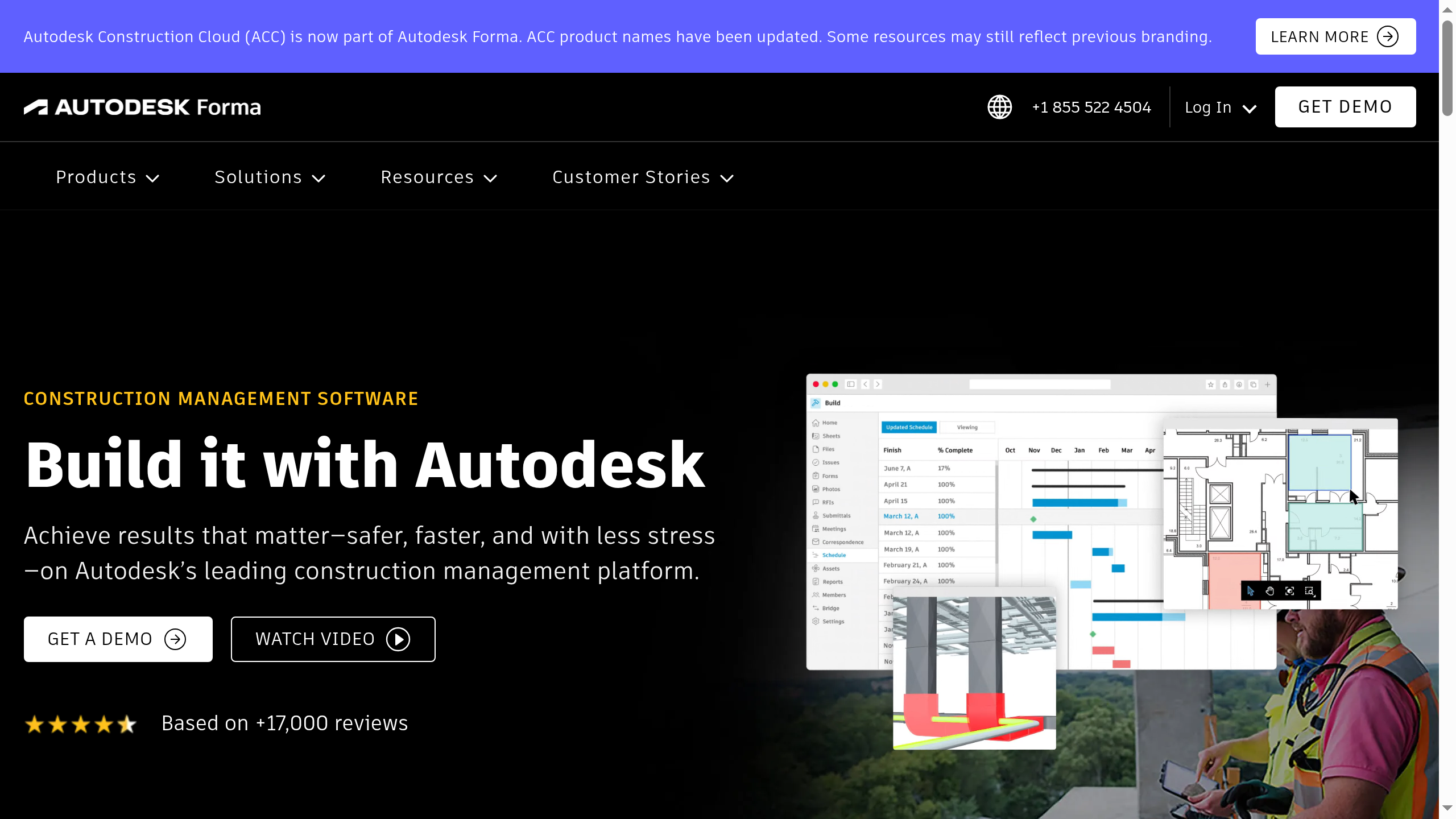
Autodesk's construction platform combines document management, project workflows, and model coordination across a family of products that connects design and construction teams.
Naming note: Autodesk announced on March 30, 2026 that Autodesk Construction Cloud was joining Autodesk Forma. Autodesk Build is now Forma Build, and Autodesk Docs is Forma Data Management. Autodesk says the branding change itself does not require existing customers to migrate.
Who is Autodesk best for?
Teams running model-heavy commercial projects, especially those already using Autodesk design tools. Prioritize it when model coordination and design-to-construction collaboration are central requirements - not merely features you might use later.
Key capabilities
- Financial control: Forma Build supports budgets, contracts, upstream and downstream changes, payment applications, expenses, and forecasting.
- Accounting connections: Forma Build offers accounting integration options. Verify the connector, supported records, and implementation responsibility for your accounting environment.
- Project and field work: Autodesk documents RFIs, submittals, schedules, mobile workflows, quality and safety, document management, and model coordination, including clash detection. These span its construction offering, not necessarily one subscription.
- Workflow and adoption: Forma Build documents automated workflows and approvals, templates, and project administration. Autodesk offers training resources and delivery services; establish the services and product access your rollout needs.
Pros
- Model coordination and document control: Clash detection and shared project information address a concrete need on model-heavy projects.
- Design-to-construction connections: Teams already working in Autodesk can evaluate design collaboration and construction tools within the same product environment.
- Financial workflows beyond model review: Forma Build supports cost management alongside project execution, so a shortlist need not treat Autodesk as only a design-coordination option.
Cons
- Autodesk splits capabilities across separate products and bundles. Your team may need multiple subscriptions to cover model coordination, preconstruction, and construction operations.
- Some Software Advice reviewers criticize Autodesk’s usability and estimating tools. They report limited dashboard customization, estimating limitations, and cluttered information displays. Some reviews cover earlier Autodesk offerings, so they do not establish the same limitations across all current Forma products.
Pricing
Autodesk offers product subscriptions and quoted bundles. Its pricing overview describes user-, project-, and account-based options. Get a proposal covering construction management, model coordination, estimating, integrations, and services where required; a price for one product is not the cost of the complete setup.
Why choose Autodesk over Procore?
Shortlist Autodesk over Procore when your main requirement is connecting construction delivery to an existing Autodesk design and model-coordination environment. Compare the proposed document and model workflows with your current handoffs. If financial control is also a deciding factor, test Forma Build's cost workflows and the specific accounting connector - not just the model tools.
2. Buildend
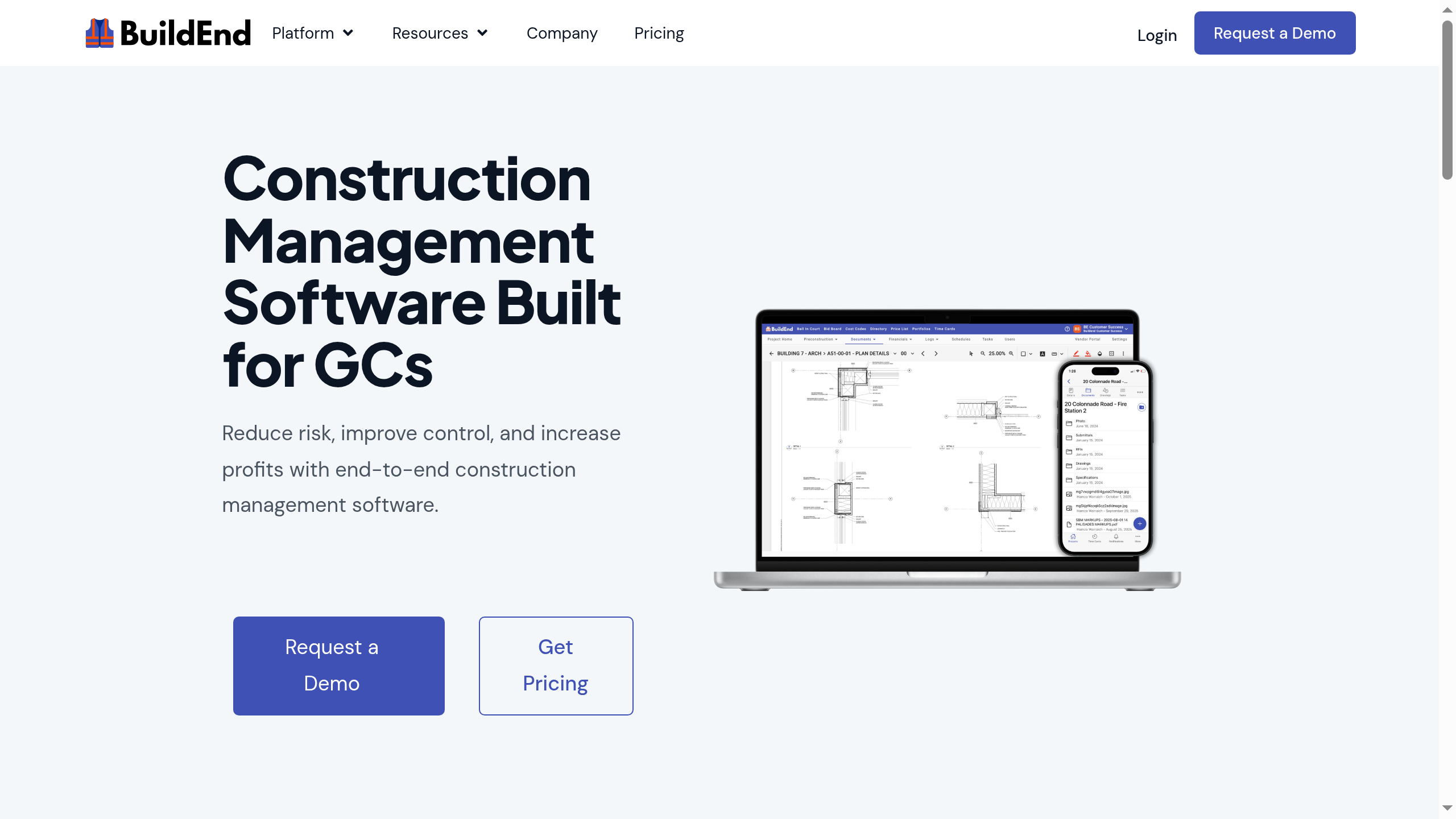
Buildend is construction management software that connects project documents and field work with cost tracking, change approvals, and accounting workflows.
Who is Buildend best for?
General contractors whose budgets, financial reports, approvals, or accounting handoffs still depend on spreadsheets and separate tools. Evaluate its support for lump-sum, cost-plus, and time-and-materials contracts. It is particularly relevant when the company needs configurable processes and has a trusted administrator who can help define the workflows and lead adoption.
Key capabilities
- Financial control and reporting: Budget management covers cost-code budgets, committed costs, actual-versus-estimate analysis, alerts, and budget updates from approved changes. Configurable financial reporting is included in the platform cost; demonstrate the report and billing treatment required for your contract type.
- Accounting connections: Buildend publishes integrations for QuickBooks Online, QuickBooks Desktop, Sage 100, and Sage 300. These connections are developed in-house and included in the platform cost, while implementation work is separately scoped. Its QuickBooks Desktop page specifies vendors, subcontracts, purchase orders, change orders, commitment invoices, direct costs, cost codes, and project mapping.
- Project and field work: Project management includes drawings, document versions, RFIs, submittals, and source-document links for changes. Its overview also lists quality/safety and time-tracking tools; verify downstream payroll needs separately.
- Approvals, signing, and adoption: Change management supports configurable approvals, links to source records, approved-change budget updates, and owner billing. The financial offering also includes configurable approvals and built-in e-signatures in the platform cost. Demonstrate supported documents, sign-off rules, and signature records; specify training and migration in the proposal.
Pros
- A documented change-to-billing workflow: Source records, configurable approvals, budget updates, and billable line items are connected in the published change-management offering.
- Visibility into different types of cost exposure: Cost-code budgets, commitments, and actuals help frame the comparison around what is planned, committed, and spent.
- All-module packaging: The platform fee includes all modules, unlimited users, and unlimited storage, without upgrade tiers. Compare that included scope with each competing proposal; unlimited users alone are not unique to Buildend.
Cons
- Your setup requirements affect Buildend’s implementation costs. Buildend considers migration, ERP integration, cost-code imports, and custom training when scoping those costs. Your team needs an implementation quote alongside the platform fee to assess the total cost of getting started.
- Buildend’s QuickBooks Desktop integration requires Web Connector to run and stay connected. Your team must maintain that connection for synchronization.
Pricing
Buildend provides a custom proposal for its platform fee and scopes implementation costs according to requirements. Ask for migration, integration, cost-code setup, and training costs in the proposal. A public dollar price is not available, so a lower-cost claim versus Procore would require comparable quotes.
Why choose Buildend over Procore?
Choose Buildend over Procore if its financial workflow fits your contract mix and demonstrably removes the workaround your current setup leaves behind. Evaluate configurable financial reporting and approvals, built-in signing, and in-house accounting connections - not just general project coordination.
Ask Buildend to run one representative lump-sum, cost-plus, or time-and-materials project from budget and commitment through a change, approval, supported signing step, billing, and accounting reconciliation. Have your PM review the configured financial report and your accountant check the transferred records. The practical benefit is fewer separate reporting, signing, and re-entry steps if the demonstration proves them.
For example, a QuickBooks Desktop user can compare Buildend's published support for commitments, invoices, and actual-cost imports with the records their current connector handles. Validate that fit alongside the Web Connector dependency. Confirm which reporting, signing, and connector capabilities are included in the platform fee and which setup services carry implementation charges.
Procore also offers financial management and configurable workflows. This is a case for evaluating a better-fitting process, not a claim that Procore cannot support your contract type, reporting, or approvals.
3. Buildertrend

Buildertrend is a residential-focused construction management platform that combines project scheduling, financial tools, and communication with homeowners and subcontractors.
Who is Buildertrend best for?
Home builders and remodelers coordinating multiple jobs, customer selections, changes, and frequent homeowner updates. That residential emphasis is a fit signal, not a restriction excluding commercial or specialty contractors.
Key capabilities
- Financial control: Its product overview lists estimates, budgets, bills, purchase orders, invoices, payments, and change orders.
- Accounting connections: Buildertrend publishes integrations for QuickBooks, Xero, and Sage Intacct. Check the exact product edition, record coverage, and subscriptions required.
- Project and field work: Scheduling, daily logs, plans, tasks, time clock, selections, and customer/subcontractor portals support coordination among teams and clients.
- Workflow and adoption: Buildertrend documents digitally signed change approvals and customizable permissions. Its pricing page describes setup, data migration, and training options; ask what is included in your proposal.
Pros
- Homeowner-facing workflows: Selections and a client portal are directly relevant when customers make frequent decisions during construction.
- Residential operations in one platform: Scheduling, job records, financial tools, and client communication can be evaluated as a connected process.
- Support is a reported strength: GetApp's review summary highlights responsive support and training resources, alongside project organization and communication benefits.
Cons
- Some GetApp reviewers report that setup and training take substantial time. They also describe continuing training or data-entry requirements. Those experiences do not predict your team’s rollout duration.
- Some GetApp reviewers report unexpectedly high costs or price increases. Other reviewers describe good value. Your team needs a current quote to assess its own costs.
- Buildertrend maps cost codes to Xero Items or Products and Services rather than Chart of Accounts entries. Your accounting team should check whether this mapping supports its job-costing and reconciliation requirements.
Pricing
Buildertrend's current pricing page asks buyers to obtain a custom quote and advertises unlimited users and projects. Confirm the included tools, training, migration, and any additional services. Do not use older plan prices as a current quote.
Why choose Buildertrend over Procore?
Shortlist Buildertrend over Procore when your daily coordination centers on homeowners: selections, approvals, schedule updates, and communication across several residential jobs. Demonstrate that customer-facing process alongside the budget and accounting handoffs. If approvals and financial reconciliation are the main problem, residential positioning alone is not enough to decide.
How to choose the right alternative
Make each finalist demonstrate the same project workflow, then compare the proposed accounting setup, rollout, and total cost. Include your current Procore configuration as the baseline; the decision is whether a switch improves the process enough to justify the disruption.
1. Define the process you need to improve
Choose two or three problems and document the people involved, systems used, repeated entries, and delays. Turn them into testable requirements: “approved changes update the budget and are available for billing without re-entry” is more useful than “better financials.”
Add requirements that reflect your project mix:
- Contract type: Demonstrate your lump-sum, cost-plus, or time-and-materials billing process, including required treatment of changes, supporting costs, and retainage.
- Financial reporting and signing: Specify the report your PM and accountant need, who configures it, which financial documents require signatures, and whether the proposed package includes those capabilities.
- Client and partner expectations: Include homeowner selections, model coordination, or mandated project platforms where relevant.
- Self-performing crews: Test time coding, field safety records, offline work, and payroll handoffs.
- Several business entities: Verify entity mapping, access boundaries, and the reporting you need across projects or companies.
2. Demonstrate a change from field record to billing
Ask each vendor to use a representative drawing revision or RFI and show:
- How the field user records the issue and links supporting documents.
- How a potential change gets an owner, price, and status.
- Who reviews and approves it, and what happens if it is rejected or revised.
- How pending and approved changes affect budget and forecast views.
- How the approved amount enters the billing process and reaches accounting.
Separately, show an original budget, a subcontract or purchase order, and an invoice against it. Check that actual spending and remaining commitments are understandable without double-counting the same cost. Ask which information is native to the platform and which depends on another product or connector.
3. Inspect the accounting connection record by record
“Integrates with QuickBooks” is a starting point, not an acceptance test. Record the exact accounting product, edition, version, region, and company entities.
Ask each vendor to list the records its connector transfers, identify the transfer direction, and explain the required approvals. Ask the vendor to identify who resolves sync failures.
Where time affects payroll, demonstrate that handoff separately. Time tracking does not establish that approved hours, job codes, overtime, or corrections will reach your payroll system correctly.
4. Put the workflow champion and field team in control
Have your coordinator, superintendent, and bookkeeper complete the work themselves rather than watch a sales representative. Include finding a revised drawing, submitting a record, checking an approval, and reviewing a cost entry. Test low-connectivity or offline behavior if your sites require it.
Test permissions using separate accounts. Can a subcontractor see only the intended project records? Can someone create a change without approving it? Can a user edit an approved amount, and what history remains? Add your own approval limits and exceptions to the test rather than assuming “configurable” covers them.
5. Agree on migration, ownership, and acceptance criteria
Compare moving active projects with starting new projects in the new system. If a client requires Procore, establish whether you need both platforms and who maintains shared records.
Ask Buildend to confirm permission rules, migration formats, training deliverables, and onboarding dates in writing before you sign.
Ask for a written rollout plan covering:
- Data: Drawings, attachments, RFIs, submittals, contracts, changes, budgets, open commitments, and approval history. Identify what migrates and what remains in an accessible archive.
- Reconciliation: How migrated budgets, commitments, and actuals will be checked against accounting before go-live.
- People: Vendor responsibilities, the internal administrator's workload, training by role, and who resolves issues after launch.
- Timing: Pilot scope, cutover dates, parallel-entry rules, and a fallback if acceptance checks fail.
- Security and exit: Access controls, backup and retention arrangements, data location, relevant assurance reports, and a sample export with attachments and history.
Hosting in audited facilities is not the same as the software vendor holding its own assurance report. Ask for the documentation your organization requires.
6. Compare total cost, then approve the switch
Ask vendors to quote the same workflows, users, collaborators, integrations, and services. Add migration, connector setup and maintenance, paid training, overlapping contracts, and internal administration time to subscription and implementation fees. Request renewal terms and a quote scenario for your expected growth.
Before approval, require a successful workflow demonstration, an accounting reconciliation test, and a rollout plan your internal champion can support. If improving Procore meets the same acceptance criteria with less disruption, that is a valid outcome - not a failed software search.
Wrap-up: What's the best construction management software for your team?
If financial work is driving the search, choose first on demonstrated contract coverage, reporting, approvals, signing, and accounting reconciliation. Then check the broader project requirements:
- Evaluate Autodesk Forma when model coordination, document control, and an existing Autodesk design environment shape your projects.
- Evaluate Buildend when your general-contracting team needs cost visibility across its contract mix, configurable financial reporting and approvals, supported built-in signing, and accounting handoffs evaluated together.
- Evaluate Buildertrend when residential schedules, selections, and homeowner communication drive daily work.
- Keep Procore when it meets your requirements or an appropriate configuration, product, or connector change resolves the remaining workaround with less disruption.
If Buildend fits your shortlist, request a financial-workflow demo. Bring your contract type, a budget, a commitment, a recent change order, a required financial report, and your accounting requirements. Ask the team to show approval, signing, billing, and reconciliation, then separate included platform capabilities from transition and integration setup costs in the proposal.
FAQs
What is the best alternative to Procore?
The best alternative depends on the work you need to improve. Evaluate Autodesk Forma for model-heavy coordination, Buildend for connected financial and approval workflows, and Buildertrend for residential projects and homeowner communication. Demonstrate your required process in each proposed setup, including its accounting connection, before comparing implementation effort and total cost.
Why would a construction company switch from Procore?
Unresolved spreadsheet forecasting, duplicate accounting entry, or approval processes that do not fit the purchased setup can justify investigating alternatives. They do not prove that Procore lacks financial tools or integrations. Identify the specific workflow problem, then compare changing Procore's configuration, product scope, or connector with the cost and disruption of switching.
Is Procore still worth it?
Yes, if its workflows meet your requirements and the value justifies your actual quote. Procore offers project coordination, financial management, and an unlimited-user model that supports external collaborators. Assess what your team uses, what manual work remains, and whether fixing that work costs less than replacing the system and migrating projects.
Which Procore alternative is cheapest?
No cheapest option is established by the sources reviewed. Procore, Buildend, and Buildertrend require custom quotes; Autodesk costs depend on the products and licensing arrangement. Compare equivalent workflows and collaborators, then include integration, migration, implementation, training, and renewal costs. A starting subscription price does not show the cost of replacing your complete setup.
Which Procore alternative is easiest to implement?
There is no verified implementation winner in this comparison. Effort depends on migration scope, approval configuration, accounting setup, training, and whether active jobs move. Ask each vendor to scope the same pilot with an internal workload estimate, named responsibilities, reconciliation checks, and acceptance criteria. Starting to use software is not the same as completing adoption.
Does Procore integrate with accounting software?
Yes. Procore's accounting integration offering includes vendor- and partner-built connections. Confirm support for your exact accounting product and edition, then inspect record coverage, sync direction, approval gates, update frequency, support ownership, and fees. An available connector does not establish that every record you need will move without manual work.
Can you switch away from Procore during an active project?
Whether you can safely move an active job depends on the proposed migration and your project obligations. Verify treatment of documents, approval history, contracts, changes, budgets, and open commitments. Compare migrating active jobs with starting only new projects elsewhere. Preserve historical access, reconcile financial records, and agree on cutover responsibilities before changing the working platform.