Construction takeoff software
that carries the work forward.
Measure quantities, build your estimate, and turn an approved estimate into the project budget. The value of a takeoff shouldn’t end when the job is won.
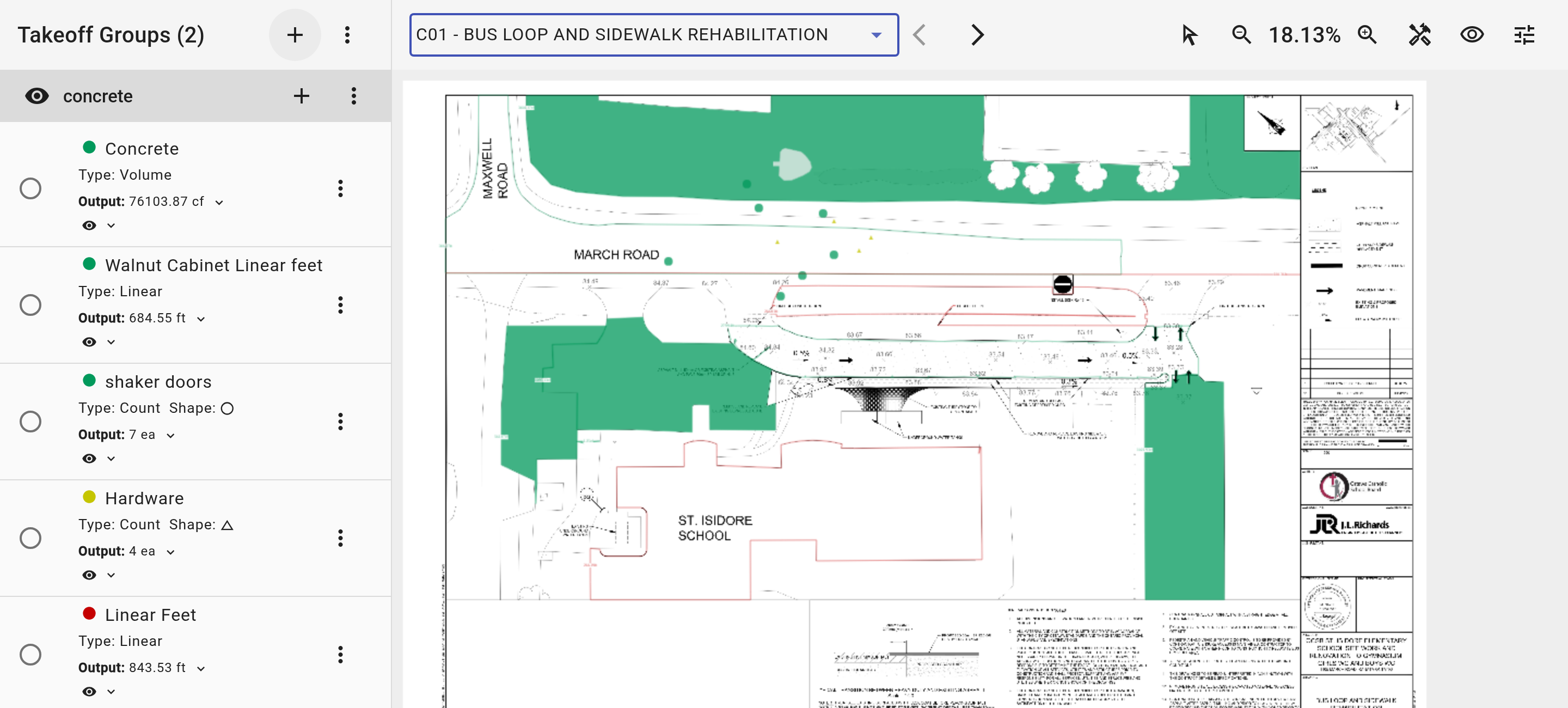
Real Buildend demo workspace · drawing and measured quantities shown together · demo values, not accuracy or performance evidence
Measure area, length and count.
Construction takeoff software measures quantities from drawings. Estimating adds your rates and assumptions to turn those quantities into a price. Buildend connects those steps.
Area, length and count
Measure surfaces, linear runs and individual items. Keep quantities visible beside the drawing so your team can review what is included.
Organize by cost code
Tag takeoffs to cost codes so estimating and project teams can work from a shared structure—not a second, disconnected naming system.
Review beyond the estimator
Review takeoff information on mobile. Check your team’s required viewing and editing tasks before deciding how field users will work.
Your fit check: bring a representative drawing and test scale, units, file handling and the measurement types your trade actually needs.
From takeoff to estimate to budget.
A measured quantity is not a price, and a price is not yet an approved budget. Keep each decision clear as the work moves from preconstruction to delivery.
Take off the quantities
Measure scope from the drawing and organize it by cost code. Check completeness, exclusions and drawing revision before pricing.
Price the estimate
Bring quantities into the estimate. Apply your unit-cost library and review labour, materials, allowances and assumptions.
Approve the budget
Turn the approved estimate into the project budget. Agree who can approve it and how later changes will be controlled.
Review takeoffs when drawings change.
Buildend flags takeoffs tied to outdated revisions and keeps revision history. That is a review signal—not a promise that changed scope has been remeasured or repriced for you.
01 / Identify
Check the current drawing and affected takeoffs.
02 / Reconcile
Review quantities, rates and scope differences.
03 / Approve
Confirm the financial impact before changing the plan.
When to keep your existing tools.
The right choice depends on where your workflow breaks—not whether every tool lives under one logo.
You only need quantities
A dedicated takeoff tool may be enough.
Measurement fit, export formats and drawing handling.
Estimating already works
Keep it on the shortlist. Test the handoff before replacing it.
Required CSV fields, cost codes, units and who owns reconciliation.
Work gets rebuilt after award
Evaluate a connected takeoff, estimate and budget workflow.
Trace one scope item through approval and project handoff.
Clients mandate spreadsheets
Treat their output format as a real requirement.
Can the required workbook be produced without extra rework?
What connects to your accounting system?
Buildend offers QuickBooks Online and Sage 300 integration options. Evaluate the supported financial records and sync workflow—not an assumed feed of raw takeoff quantities.
Map the records
List the records you need to move, their direction of travel and which system is the source of truth.
Test exceptions
Check cost-code mapping, duplicate handling, sync failures and who resolves them. Ask for your exact accounting version and configuration.
Plan the switch around real work.
Use one representative project to test the daily work. Give your coordinator or administrator a role in the decision—not just the cleanup afterwards.
Inventory what must stay
List active projects, historical records, drawings, cost codes and client-required outputs. Agree what migrates and what remains accessible elsewhere.
Assign owners and access
Name an administrator. Test office and field permissions, approval authority and visibility of sensitive financial information.
Run a real handoff
Have the estimator, coordinator and project lead complete their own tasks. Check the result against your current process before expanding.
Bring the drawing.
Follow the work all the way through.
Ask to see a quantity become an estimate, an approved budget and a handoff your project team can use. Bring your required outputs and accounting questions too.
Walk through your workflow →