An accurate estimate is the starting point for project financial control - not a guarantee of it. After award, your team still needs to keep budgets, changes, approvals, and accounting aligned. The best commercial construction estimating software for your business depends on which part of that process needs fixing.
If you already pay for construction software but still reconcile budget spreadsheets, chase change approvals, and reenter costs into accounting, faster bid preparation may solve only part of the problem. Your evaluation needs to follow the numbers beyond the estimate and into the work your project and office teams manage every day.
That means distinguishing specialist takeoff and estimating tools from connected construction platforms that also cover project budgets, commitments, changes, and invoices. If your downstream systems already work well, a specialist tool with the right integrations may be the better fit. Replacing your platform is not automatically the answer.
This guide compares five options for growing commercial contractors, focusing on estimating needs, financial handoffs, accounting compatibility, and implementation effort - not simply feature counts.
Quick comparison table: Best commercial construction estimating software at a glance
These products solve different problems. Use the table to identify which options fit your estimating requirements and the systems your team already uses.
| Software | Best-fit buyer | Estimating and takeoff focus | Project financial connection | Accounting considerations | Pricing and implementation |
|---|---|---|---|---|---|
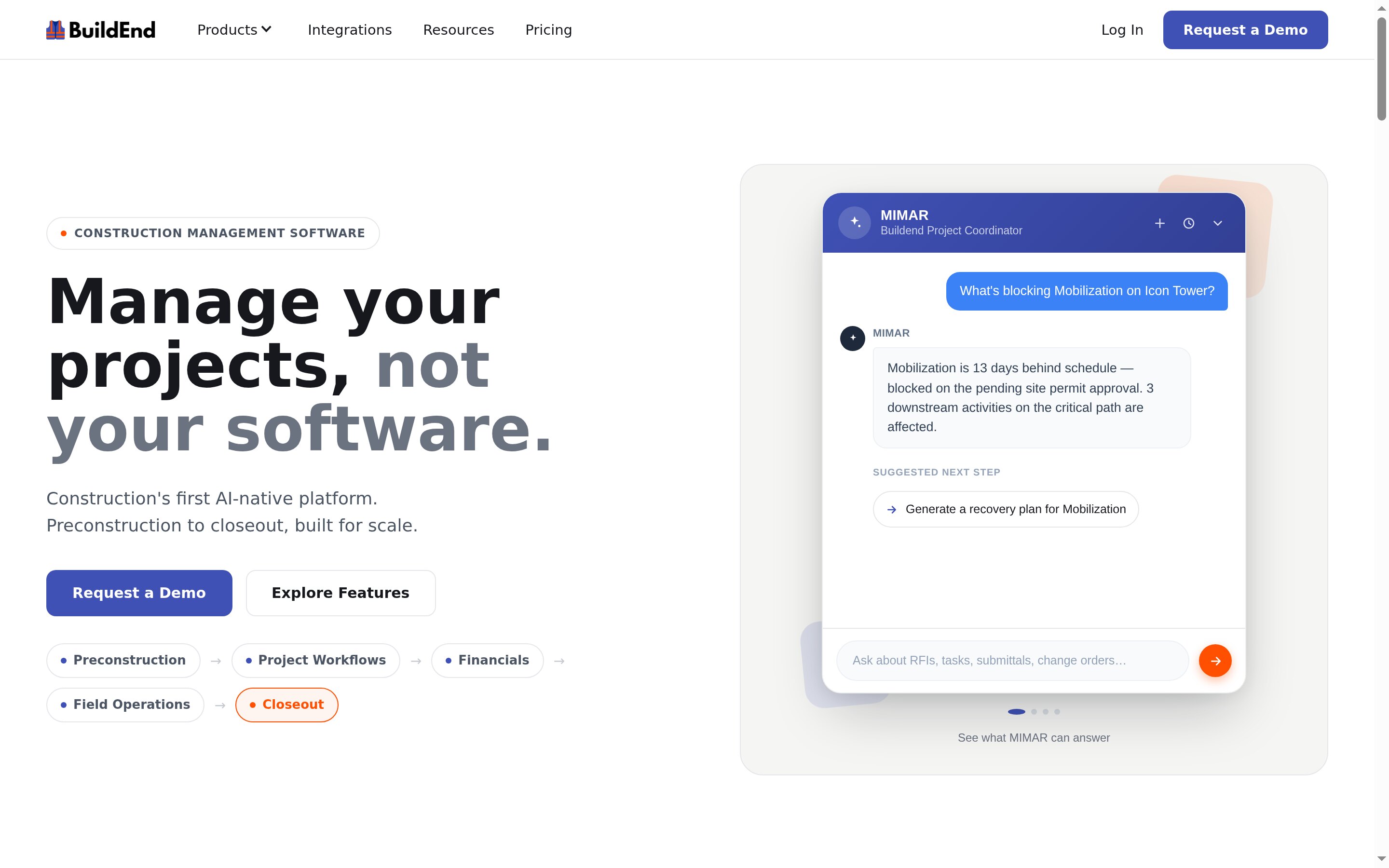
| Buildend | Growing contractors prioritizing connected estimating, project financials, and configurable approvals | Takeoffs, estimates, unit-cost libraries, and cost-code pricing | Approved estimates become budgets; the platform also covers commitments, changes, and invoice approvals | QuickBooks Online integration documents supported records; confirm mappings and behavior for your setup | Custom platform fee, unlimited users, all modules included. Implementation costs depend on requirements |
| STACK | Distributed teams prioritizing cloud takeoff and estimating | Browser-based takeoff; Pro adds worksheet estimating, assemblies, and proposals | ERP connectors transfer supported estimating data into downstream systems | Connectors currently name Acumatica and Sage Intacct; ERP connectivity is a Pro add-on | Per-user subscriptions with 12-month terms; price the estimating tier and connector together |
| ProEst | Estimating teams prioritizing customization and reporting | Cloud estimating and 2D takeoff with cost databases, formulas, and tailored reports | Forma Build integration converts estimates into project budgets | Selected integrations and an open API; confirm the required connector and records | Sold through the Forma for Preconstruction bundle; scope configuration and onboarding |
| Sage Estimating | Contractors prioritizing structured estimating and Sage connections | Cost databases and assemblies, with connected eTakeoff and BidMatrix tools | Shares estimating data with compatible Sage job-costing and accounting products | Named connections include Sage Intacct Construction, Sage 300 CRE, and Sage 100 Contractor | Request a quote covering licenses, connected products, databases, and setup |
| PlanSwift | Windows-based estimators prioritizing takeoff and Excel | Digital measurement, assemblies, formulas, and Excel connectivity | Excel links and exports support handoffs into existing workflows | Establish how estimate data reaches accounting; Excel connectivity alone is not an accounting sync | Annual Essential or Core plans; requires a suitable Windows environment and local Excel for Excel functions |
Understanding the different types of commercial construction estimating tools
Choose the type of software that addresses where your workflow breaks: measuring quantities, pricing work, coordinating bids, or controlling costs during construction. These are related jobs, but they are not interchangeable.
Takeoff-focused tools: Measuring the work accurately
Takeoff tools answer, “How much work is there?” They turn drawings into quantities: square feet of flooring, linear feet of pipe, door counts, or cubic yards of concrete. STACK’s measurement documentation, for example, distinguishes measurement types and their outputs.
Drawing revisions matter here, too. Overlay and version-comparison tools help estimators identify changes before updating quantities. Those quantities may feed an estimate in the same application, connect to another system, or leave as an exported report.
“Takeoff-focused” does not mean “measurement only.” Some tools also support assemblies and pricing. But priced quantities do not by themselves track subcontract commitments, invoice approvals, or actual project costs after award.
Estimating-focused systems: Building detailed, repeatable bids
Estimating systems answer, “What will this scope cost, and what should we bid?” They apply labor, material, equipment, and subcontractor costs to quantities, then organize the result into an estimate.
Assemblies group related items so estimators can price recurring scopes without rebuilding every component. Formulas, cost libraries, markups, alternates, and reporting help teams apply consistent standards while adjusting individual bids. ProEst, for example, emphasizes detailed cost databases, custom formulas, and tailored reporting.
Bid management is a separate responsibility: distributing bid packages, collecting subcontractor responses, and comparing offers and scope coverage. Generating a priced proposal is not the same as managing those responses. Sage describes BidMatrix’s bid-leveling tools separately from its estimating databases and takeoff connection.
Connected construction platforms: Carrying estimates into project delivery
Connected platforms address what happens to the numbers after award. The estimate establishes the starting budget; subcontracts and purchase orders record committed costs; approved changes adjust the financial position; invoices and actual costs show what the project is spending.
The useful connection is between records, not simply between screens. A connected budget workflow can carry estimate cost codes forward, update commitments, and reflect approved changes against the budget.
This category deserves attention when project managers, coordinators, and accounting staff repeatedly reconstruct the same financial information. It does not necessarily replace accounting. Project controls can remain in the construction platform while accounting remains the financial system of record.
When a specialist tool plus integrations is the better choice
Keep a specialist tool when it handles your estimating requirements well and your project-management and accounting workflows already work.
The important distinction is how information moves:
These approaches can coexist. ProEst, for example, documents an integration that converts estimates into Forma Build budgets. The deciding factor is whether the setup removes the handoff causing your team trouble.
5 best commercial construction estimating tools for growing contractors in 2026
Buildend leads this shortlist for contractors whose estimating decisions need to stay connected to project financial control. The alternatives suit different priorities: cloud takeoff, highly configurable estimates, Sage connectivity, or desktop takeoff and Excel workflows.
1. Buildend: For growing contractors that need estimating connected to project financial control
Who is Buildend best for?
Growing commercial contractors - particularly those with roughly 20–60 employees - whose teams still reconcile budgets, changes, approvals, and accounting across disconnected systems.
It is worth evaluating when an operations leader wants stronger financial control and a trusted administrator or office manager can lead adoption.
How Buildend works
Buildend positions takeoffs, estimates, and bid management as inputs to the project budget. Its financial tools track budgets, commitments, and actuals by cost code, while change management connects scope, cost, and approvals.
Its invoicing workflow checks vendor invoices against commitments and remaining budgets, routes them through configurable approvals, and rolls approved amounts into owner draws.
The documented QuickBooks Online integration covers vendors, subcontracts, purchase orders, change orders, commitment invoices, direct costs, cost codes, and project/job linking. QuickBooks Online remains the accounting system of record.
Buildend pros and cons
Buildend pricing
Buildend offers custom platform pricing with unlimited users, unlimited storage, all modules, and no upgrade tiers.
That removes per-seat and module-unlock charges, but implementation is not necessarily free. The proposal can include costs for migration, ERP integrations, cost-code imports, and custom training. Compare the subscription and implementation scope together.
2. STACK: For distributed teams focused on cloud takeoff and estimating

Who is STACK best for?
Commercial subcontractors and estimating teams that regularly bid from plan sets and need people in different locations to work in a shared browser-based environment.
It is a strong candidate when takeoff and bid preparation are the bottleneck and downstream project systems already suit the business.
How STACK works
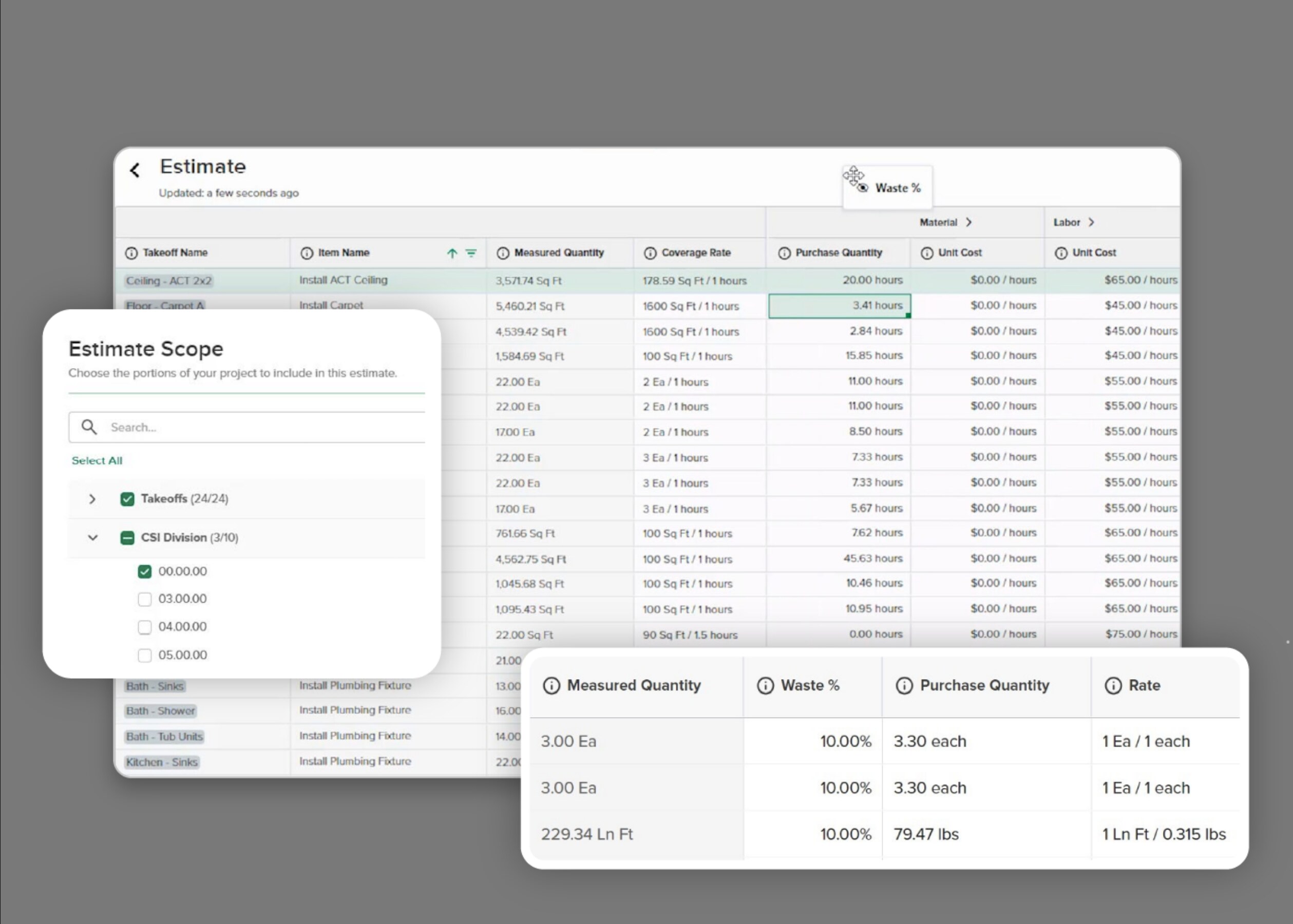
STACK combines drawing measurement, version overlays, item and assembly libraries, and cloud collaboration.
Its Pro tier adds worksheet-style estimating, labor and material pricing through items and assemblies, a regional BNI cost library, STACK for Excel, and proposal generation. Paid plans include unlimited viewer seats.
For financial handoffs, STACK’s ERP connector offering currently names Sage Intacct and Acumatica. Supported data varies by connector and can include estimates, quantities, cost codes, items, and change order requests.
STACK pros and cons
STACK pricing
At the time of research, the US pricing page listed Premium at $299 per user per month and Pro at $349 per user per month, billed annually.
For estimating and proposal generation, Pro totals $4,188 per user annually, before connector add-ons. Takeoff & Estimate subscriptions have 12-month terms even when payments are spread monthly. Confirm current pricing and request connector costs separately.
3. ProEst: For teams that need configurable estimates and detailed reporting
Who is ProEst best for?
Experienced estimating departments that need detailed cost models, company-specific formulas, and reports tailored to internal standards.
Choose it for control over how estimates are built and analyzed, particularly when the team has someone who can maintain its estimating standards.
How ProEst works
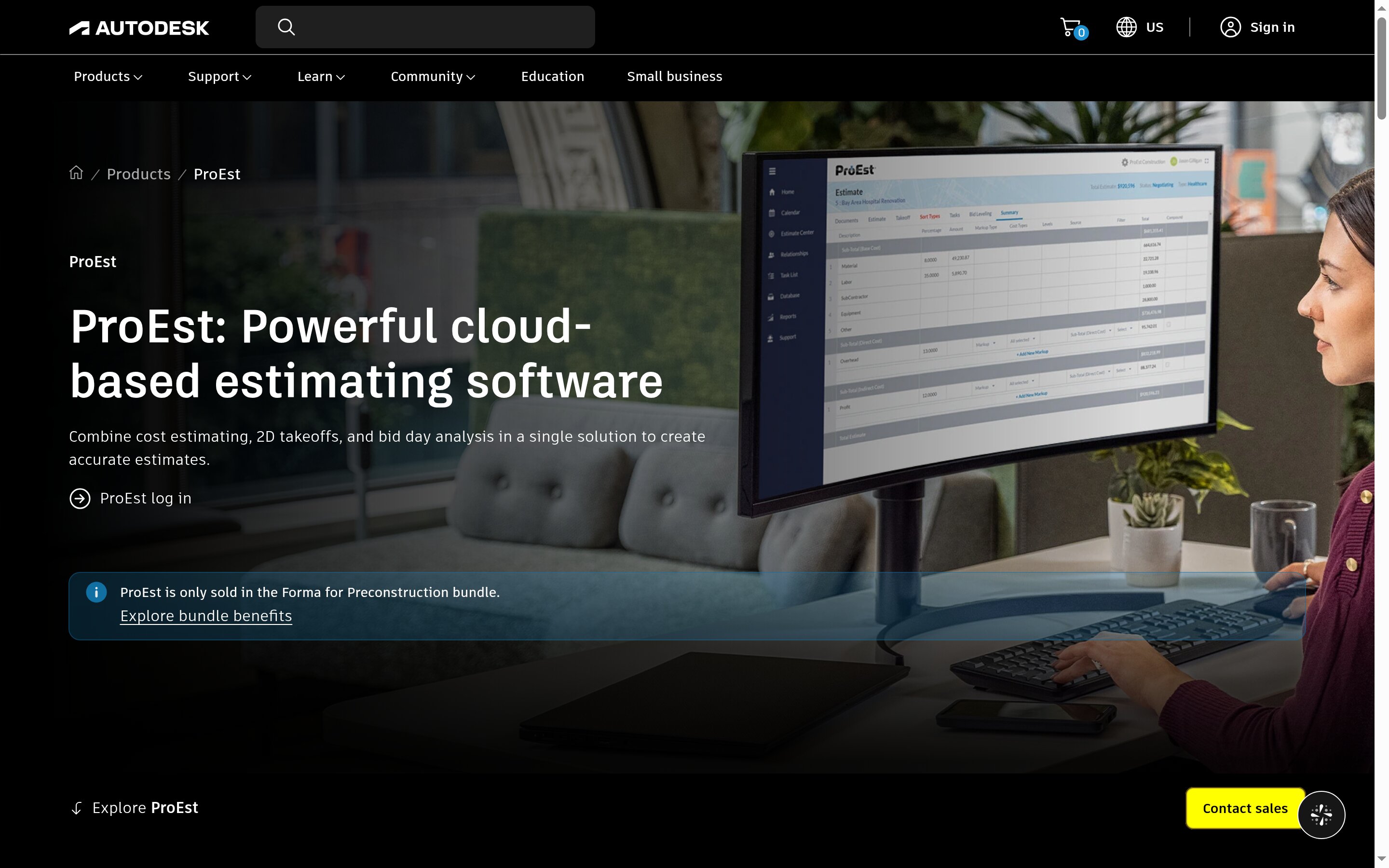
ProEst combines cloud-based cost estimating, 2D takeoff, and bid-day analysis. Teams can import legacy cost data, use built-in databases, or use ProEst Costbook regionalized costing data.
Autodesk documents custom variables, advanced formulas, configurable reporting, multiple cost sources, and workflow automation.
The Forma Build integration converts estimates into project budgets. Other downstream connections include selected ERP and construction management systems, with an open API for custom integrations. These are defined handoffs - not a promise that every accounting transaction synchronizes automatically.
ProEst pros and cons
ProEst pricing
Autodesk sells ProEst through the Forma for Preconstruction bundle, with a customized quote.
The bundle includes ProEst, Forma Estimate, Forma Takeoff, Forma Data Management, BuildingConnected Pro, Bid Board Pro, and TradeTapp.
ProEst and Forma Estimate are separate products. Including both does not make Forma Estimate’s native workflows ProEst features. Ask the quote to specify entitlements, onboarding, migration, training, and integrations. Forma Build is not among the seven listed products, so price its access separately if that budget handoff is part of your plan.
4. Sage Estimating: For contractors prioritizing structured estimating and Sage connectivity

Who is Sage Estimating best for?
Established estimating departments that want repeatable cost databases and structured estimate breakdowns - especially contractors already using compatible Sage financial software.
It is relevant when maintaining consistent estimating standards matters more than minimizing initial configuration.
How Sage Estimating works
Sage Estimating uses cost databases, formulas, and assemblies to price work consistently. Its v26.1 guide describes organizing estimates by location, alternate, and work breakdown structure codes.
Sage’s current documentation also describes simultaneous estimator collaboration, BidMatrix bid leveling and analysis, and connected takeoff through eTakeoff Dimension.
Accounting connections include Sage Intacct Construction, Sage 300 Construction and Real Estate, and Sage 100 Contractor.
Sage Estimating pros and cons
Sage Estimating pricing
Request a workflow-specific quote from Sage or its implementation partner. The v26.1 guide identifies Crews, Models, and Advanced Reporting as separately licensed modules.
Have the proposal itemize estimating licenses, databases, required connected products, accounting interfaces, deployment, training, and setup. For a desktop SQL deployment, include workstation/server requirements and administration.
5. PlanSwift: For Windows-based estimators using takeoff and Excel
Who is PlanSwift best for?
Commercial estimators and specialty contractors who prefer desktop takeoff and want to keep Excel in their estimating workflow.
It is a practical option when measurement and pricing need improvement but replacing project financial systems is unnecessary.
How PlanSwift works
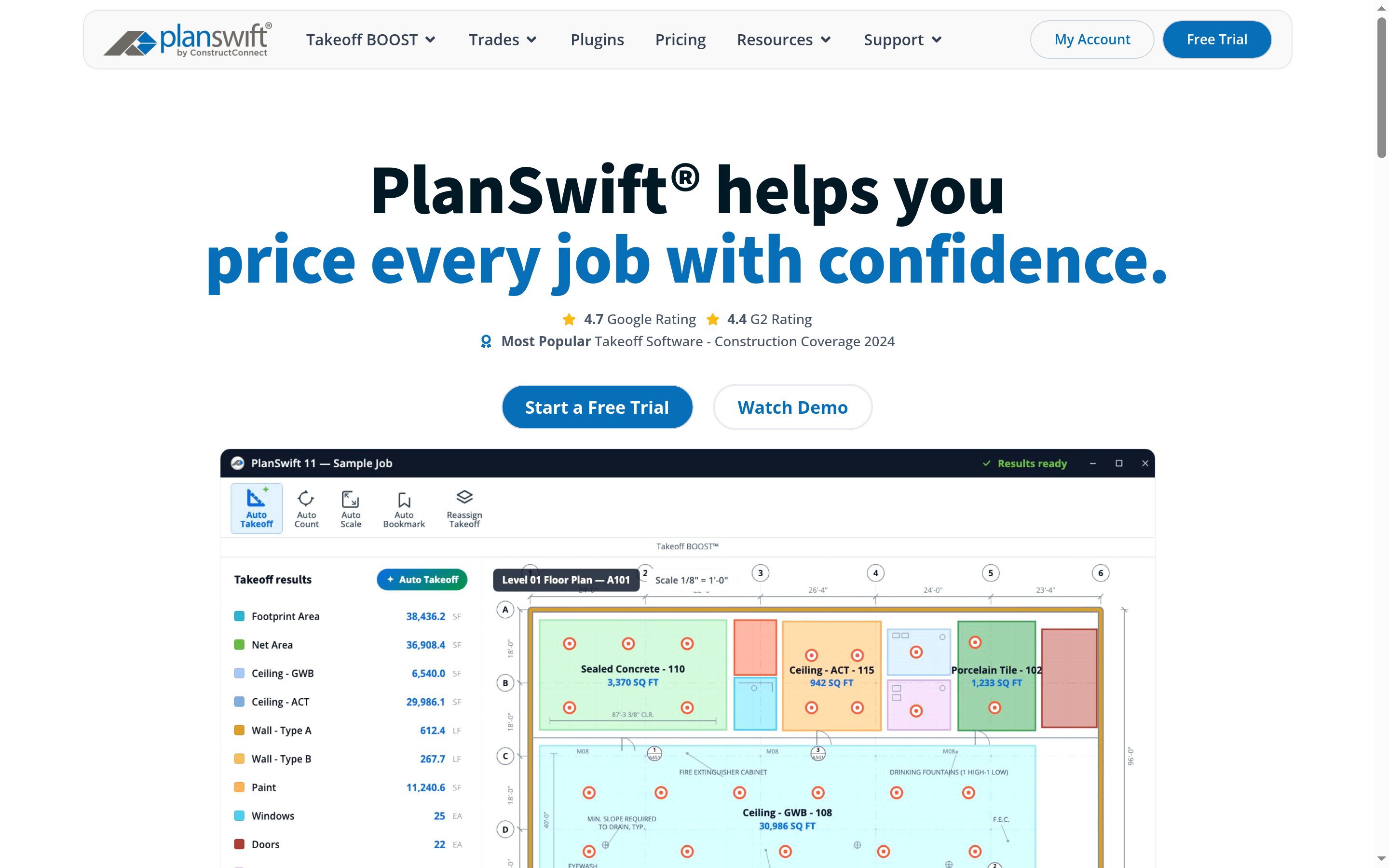
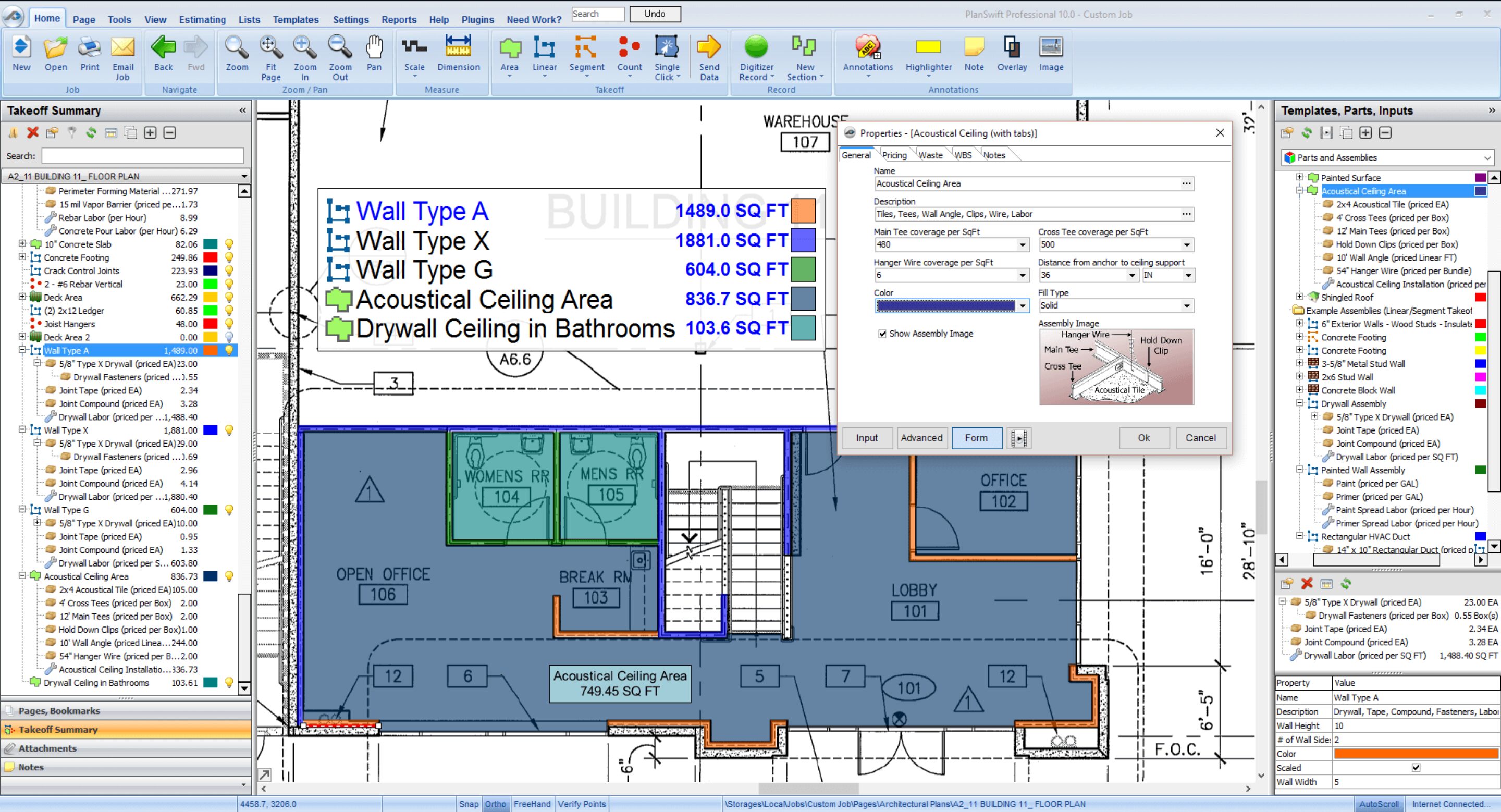
PlanSwift uses point-and-click measurement for areas, lengths, and counts. Estimators can create assemblies containing materials, labor, and waste, apply them to takeoff items, and print or export estimates to Excel.
Current plans include AI-assisted counting, scaling, and bookmarking. Core adds Auto Takeoff for first-pass measurement.
PlanSwift pros and cons
PlanSwift pricing
At the time of research, annual pricing was $2,000 per seat for Essential or $3,000 per seat for Core.
Essential includes takeoff, estimating, Auto Count, Auto Scale, Auto Bookmark, priority support, and two hours of live training. Core adds the full Takeoff BOOST suite, including Auto Takeoff. Annual plans include updates.
A 14-day trial includes Core features. Budget separately for the Windows environment, local Excel if needed, and additional training. Historical one-time license prices are not the current new-purchase model.
How to choose the right commercial construction estimating tool
Start with the workflow you need to fix, define non-negotiable requirements, and make vendors demonstrate the complete process.
Have the approving executive set financial-control goals and acceptable transition costs. Have the internal workflow champion document daily tasks and test whether the proposed system makes them easier.
Identify whether the main problem is estimating, project financial control, or both
Review a recent bid and the project records created after award. Ask estimating, project management, and accounting where they rebuild information or resolve discrepancies.
Separate requirements into:
If downstream workflows already work, assess a specialist’s fit before considering a broader replacement.
Set minimum estimating requirements before comparing broader platforms
Build a pass/fail checklist from the projects you actually bid. Include trade complexity, self-performed work, subcontracted scopes, and required detail.
Ask each vendor to demonstrate your:
Record whether each requirement is included, needs configuration or another purchase, or remains unsupported.
Trace an estimate into budgets, commitments, changes, and actual costs
Follow an accepted estimate into the project budget. Identify what carries forward and what someone must map, export, or reenter.
Then follow one cost code through a subcontract or purchase order, an approved change, and an invoice. Inspect the original budget, revisions, commitments, and actual costs. Ask how the system avoids counting the same expense twice as both a commitment and an actual cost.
The executive should understand the project’s cost position. The champion should trace a reported amount to its supporting record without assembling another spreadsheet.
Verify the accounting integration at the transaction level
Confirm the exact accounting product, edition, and supported version - not just the brand.
Ask for a written checklist covering:
Have accounting inspect sample transactions in both systems. Ask the vendor to demonstrate a failed transfer and its resolution, not only a successful sync.
Test approvals, permissions, and daily office-to-field work
Use separate accounts for the roles that matter: executive, project manager, coordinator, accounting, and field staff.
Route an invoice for approval, return it for correction, and locate the final decision. Have approvers use their normal devices. Inspect the history and test whether someone without authority can bypass review.
Name the person who will maintain permissions, approval routes, and templates after launch.
Compare total cost and migration effort
Request a quote for the demonstrated workflow, separating one-time and recurring costs. Include required tiers, users, connectors, supporting software, training, configuration, and internal administration.
Check contract length separately from payment frequency. For example, STACK’s paid terms run for 12 months even with monthly payments.
For migration, establish what transfers, what must be rebuilt, and what remains archived. Validate a sample import and reconcile totals. Include any overlap between old and new systems in the transition cost.
Run the same real-project demo across shortlisted products
Give every vendor the same project package and sequence:
Record manual steps, additional systems, configuration, and costs at each stage. Ask your own team to repeat key tasks rather than relying entirely on the salesperson.
Common mistakes when buying commercial construction estimating software
Capable software can still leave your team doing the same manual work. Avoid evaluating isolated features without checking the surrounding workflow.
Buying better takeoff when the underlying problem is financial reconciliation
Faster measurement will not resolve mismatches between approved budgets and accounting records.
Identify where staff rebuild numbers after award. If those handoffs cause the burden, prioritize fixing them rather than replacing a takeoff tool that already works.
Assuming “integrates with accounting” means every required transaction is supported
An integration label does not establish which records move, in which direction, or under what conditions.
Have accounting identify transactions that require duplicate entry. Ask the vendor to demonstrate those transfers in your exact accounting edition, document exceptions, and assign responsibility for them. Do not count a manual export as an automatic connection.
Choosing an all-in-one platform without validating estimating depth
Broad coverage loses value if estimators must build bids elsewhere and reenter them.
Ask an estimator to reproduce a demanding portion of a recent bid. If a specialist remains necessary, evaluate that combination explicitly rather than assuming one subscription replaces both systems.
Comparing subscription prices instead of complete workflow costs
An entry price may cover a different workflow from the one you need. STACK, for example, places worksheet estimating in Pro and ERP connectors in an additional purchase.
Compare complete configurations. Separate first-year transition costs from recurring costs and account for software you must retain.
Underestimating configuration, migration, and internal ownership
Moving data does not mean preserving every usable record. Autodesk’s ProEst migration guidance identifies exclusions that can affect estimate totals.
Assign an internal owner. Agree on what migrates, what must be rebuilt or archived, and who validates results before moving active work.
Treating dated reviews or vendor claims as verified current product behavior
Old reviews may describe different versions. Marketing may describe capabilities without establishing their fit for your work.
For example, Sage’s current materials describe collaboration, BidMatrix, and eTakeoff connectivity. Blanket claims that it lacks those capabilities misrepresent the documented offering.
Use reviews to identify questions. Check dates and versions, consult current documentation, and test important claims with your project data.
Wrap up: What’s the best commercial construction estimating tool?
The best commercial construction estimating software addresses the bottleneck your team needs to fix. That may mean preparing bids faster - or keeping the numbers connected after award.
If disconnected project financials are holding your team back, request a Buildend demo and bring a current estimate and financial workflow. Include the purchase decision-maker and the person who will own daily adoption. Ask the team to demonstrate handoffs, confirm integration requirements, and map the transition - not simply give a feature tour.
FAQs
What’s the difference between commercial construction estimating and takeoff software?
Takeoff software measures the work; estimating software prices it. A takeoff identifies quantities from drawings. An estimate applies labor, material, equipment, subcontractor, and other costs.
Some products combine both, but check the plan. Neither function alone establishes how budgets, changes, and actual costs stay aligned after award.
Can estimating software replace construction accounting software?
Not simply because it creates estimates or tracks costs. Verify support for general ledger, accounts payable and receivable, payroll requirements, reporting, and your accountant’s workflows before replacing accounting.
A connected platform can work alongside it. Buildend’s QuickBooks Online integration explicitly keeps QuickBooks Online as the accounting system of record.
Which estimating software fits a growing commercial contractor?
Choose around the failing workflow - not headcount alone.
If estimates work but budgets and changes are rebuilt in spreadsheets, evaluate a connected platform such as Buildend. If bid preparation is the bottleneck and downstream systems work, prioritize specialist estimating capabilities.
Include both the operations decision-maker and the person who will administer daily workflows.
How do estimates become project budgets without duplicate entry?
Through a supported transfer that maps estimate detail to the receiving project, cost codes, and categories. This may be native conversion, integration, or structured export/import - not necessarily an automatic sync.
Sage’s integration guide, for example, documents mapping and an Export to Job Cost wizard. Reconcile transferred totals and confirm how later revisions affect the approved budget.
What should I verify in a QuickBooks or Sage integration?
Verify the exact product and version, supported records, sync direction, timing, and system of record. Then test taxes, retainage, partial payments, corrections, rejected transactions, and duplicates where relevant.
Do not extend QuickBooks Online claims to QuickBooks Desktop or assume one Sage connection establishes compatibility with every Sage product.
How much does commercial construction estimating software cost?
A useful price requires a defined workflow, user count, and integration scope.
Compare quotes covering software tiers, paid seats, connectors, implementation, migration, training, and renewals. Buildend uses custom platform pricing; STACK uses per-user subscriptions; PlanSwift uses annual seat licenses. Entry-level takeoff pricing is not directly comparable to a complete connected-platform quote.
Can we migrate active projects without losing financial history?
Possibly, but require a written scope rather than a blanket guarantee.
Distinguish usable transactions from opening balances, attachments, and read-only archives. Test an active project and reconcile its budget, commitments, changes, invoices, payments, and actual costs before cutover.
Migration exclusions are product-specific. Preserving exported files is not the same as preserving usable project history.
When should we keep a specialist estimating tool instead of replacing our platform?
Keep it when it meets your estimating requirements and the surrounding budget, approval, and accounting workflows work reliably.
Before switching, test whether the proposed platform reproduces essential assemblies, formulas, alternates, and reports. Compare replacement with retaining the specialist through an integration or controlled export. Consolidating vendor names is not enough if the result is weaker estimates or the same rekeying elsewhere.