CONSTRUCTION PAYMENT APPLICATION SOFTWARE
Stop rebuilding the billing picture every month.
Bring subcontractor submissions, approvals, and owner draws into one connected workflow. Carry approved invoice data into accounting instead of re-keying it.
Built for general contractors. Keep your accounting system.
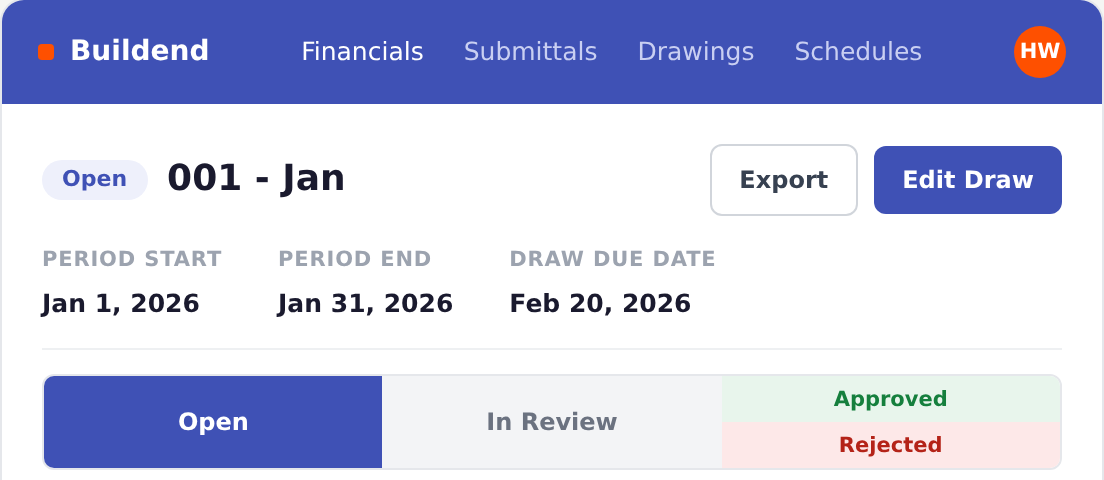
Know what is ready for the next draw.
Submissions and review status, together.
Public-site UI reference · sample data
01 / Subcontractor submission
02 / Team approval
03 / Owner draw
04 / Accounting
WHAT THE SOFTWARE DOES
Construction payment management, beyond the forms.
Construction payment application software helps GC teams prepare, review, and track pay applications, with the progress detail and backup behind each request.
An invoice asks for payment.
A payment application explains the amount: schedule of values, work completed, stored materials where applicable, retainage, and prior applications.
A connected pay app workflow for GC teams.
Bring subcontractor forms, approvals, owner draws, and accounting handoffs together. The application is the output, not the whole job.
THE CONNECTED BILLING CYCLE
One construction pay app workflow, from submission to owner draw.
Construction payment management connects the handoffs while your team reviews the work and decides what is approved and ready to bill.
01
Collect pay app forms and backup
Subs and vendors submit invoices through a dedicated portal, with supporting documents together.
- Keep billing forms and backup out of a scattered inbox.
02
Review against the commitment
Check invoices against commitments and remaining budgets. Route them through the reviews your project requires.
Keep the approval decision with the right people.
03
Assemble the owner draw
Approved vendor amounts roll into the owner draw. Review the package and export an AIA-style G702/G703 application.
Check owner-billable amounts against your prime contract.
04
Carry approved data into accounting
Send approved invoices to a supported accounting integration, rather than re-keying each line.
Confirm your accounting product, mapped records, and sync scope.
A PRACTICAL BILLING CHECK
Review progress billing forms with confidence.
Progress billing needs a clear view of completed work, retained amounts, and prior certificates. A clean-looking form is not enough.
Progress billing tips for each application
- Check the schedule of values and approved changes.
- Confirm eligible stored materials.
- Apply the agreed retainage.
- Deduct previously certified amounts.
- Identify steps that still need manual effort.
Use the demo to see how line-level tax and retainage calculations can reduce manual effort in your billing cycle.
Illustrative calculation - not a Buildend screen. Excludes tax; assumes 10% retainage on all earned amounts.
EXAMPLE / CURRENT APPLICATION
- Original contract + approved changes
- $100,000 + $20,000
- Completed work + eligible stored materials
- $60,000 + $10,000
- Total earned to date
- $70,000
- Less retainage
- $7,000
- Less previously certified net amounts
- $45,000
- Current amount requested
- $18,000
FINANCIAL CONTROL
Give your team clear approvals and useful billing insights.
Construction payment management should give directors confidence in approvals and help coordinators see what is missing and who moves it next.
Approval workflows that help your team
Configure invoice approval flows around your required reviewers instead of managing every decision in email.
A clear view before approval
Keep the invoice connected to its commitment and supporting records so reviewers can assess the amount.
Mobile app experience on your device
- Review and approve invoices on mobile.
- Test the experience against real construction-site usage, including connectivity and everyday review tasks.
Demo questions: bring an incomplete submission. Ask who corrects it, who reviews it again, and what history remains.
ACCOUNTING FIT
Keep accounting. Get a connected view of billing.
Construction payment management should help connect project-side billing with your accounting system of record. Confirm the exact integration, not just the logo.
QuickBooks Online & Desktop
Sage 100 & Sage 300
Available integrations include these accounting products. Confirm product version, setup, and supported data flows for your environment.
Explore supported integrations →Integration questions to ask in a demo
01 Which invoices, commitments, cost codes, and payment records move - and in which direction?
02 When does data sync, and who resolves an error or a post-approval correction?
03 Which system owns each record, and what still requires manual reconciliation?
CHOOSING YOUR APPROACH
Choose pay app or progress claim software by workflow fit.
If your team calls payment applications progress claims, evaluate claim software by the same criteria: handoffs removed, financial control, and implementation fit.
| Approach | Useful when | What to check |
|---|---|---|
| Spreadsheets + accounting | Billing is simple and your team can manage reviews and reconciliation reliably. | Who maintains formulas, versions, backup, and approval history? |
| Dedicated pay app software | You need focused progress billing alongside your existing construction project tools. | Which handoffs and integrations remain between project work, billing, and accounting? |
| Connected platform / Buildend | You want billing, commitments, approvals, and project records in one workflow. | Does the broader platform fit daily work well enough to justify rollout and migration? |
IMPLEMENTATION & COST
Plan rollout, support, and pricing before you switch.
A connected workflow still needs an owner. Buildend’s designated customer administrator leads configuration and adoption, working with Buildend Support.
Help your team build confidence
- Name the administrator and required reviewers.
- Confirm onboarding, training, and integration ownership.
- Test everyday workflows with the people who use them.
For active jobs, confirm how existing schedules of values, prior billing, approved changes, and retained balances will be brought across.
Pricing: check the total cost
Unlimited users, all modules, and unlimited storage. Request a custom proposal for your team.
Ask for implementation, migration, integration, and training costs in the proposal - not just the recurring platform fee.
A FEW RELATED QUESTIONS
Questions about forms, payments, and submission channels.
Does payment application software also move the money?
Preparing and approving a payment application is different from executing payment. Confirm any payment-processing capability, fees, and bank requirements separately.
What about Canadian holdback and prompt-payment requirements?
Requirements depend on jurisdiction and contract. Confirm the documentation, calculations, and deadlines your project needs; software does not replace legal or accounting advice.
What if an owner requires a separate billing portal?
- Agree on required forms and supporting text with the owner.
- Confirm what Buildend exports and which steps remain in the owner’s portal.
Bring one billing cycle.
See where the work goes away.
Use a workflow demo to review a submission, an approval, an owner draw, and the accounting handoff. Include an exception, not just the happy path.
Bring your accounting setup and questions.