The best construction management software connects the workflows your team needs to control - not just the records it needs to store. For growing contractors, that means evaluating how project decisions move through approvals, budgets, billing, and accounting, alongside the tools that keep field work moving.
If your team already uses construction software but still forecasts costs in Excel, approves invoices by email, or re-enters figures into accounting, another feature list offers little help. You need to know which platform closes those gaps, what remains manual, and what switching demands from your staff.
That distinction matters to both the operations leader approving the purchase and the coordinator maintaining daily workflows. Financial tools, integration coverage, configuration, and migration all affect whether a platform reduces work or relocates it.
Published by Buildend, this guide compares Buildend, Procore, Buildertrend, Autodesk Forma, and Fieldwire by buyer fit rather than declaring one winner for every contractor.
Use it to explore:
- Which workflows, capabilities, limitations, and pricing models distinguish the five platforms.
- How to test financial handoffs, accounting connections, and daily tasks during evaluation.
- What to confirm about migration, ongoing administration, and total cost before signing.
Quick comparison table: Best construction management software at a glance
Shortlist Buildend first if spreadsheets still link your commitments, invoice approvals, owner billing, and accounting. Use this comparison to match the five platforms to your main workflow gap - not rank them by feature count or brand recognition.
| Product | Best suited to | Relevant financial and operational workflows | Accounting integration considerations | Pricing basis | Important buying consideration |
|---|---|---|---|---|---|
| Buildend | Growing contractors prioritizing connected financial workflows and configurable approvals. | Documented commitment-based invoice checks, configurable approvals, line-level tax and retainage, and owner-draw rollup, plus project coordination. | The Sage 100 Contractor connection lists AP/AR, budgets, job costs, changes, and POs. Confirm scope separately for other accounting products. | Custom platform fee; unlimited users and storage, all modules included. Implementation costs vary by scope. | Confirm that your approval rules, accounting handoffs, and migration requirements fit the proposed setup. |
| Procore | Broad project oversight and coordination with internal teams and external stakeholders. | Project Management covers documents, drawings, RFIs, and submittals; Project Financials adds financial controls. | Scope depends on the connector. The QuickBooks Online connector requires Plus or Advanced; budgets and commitments do not sync through it. | Annual fee by selected products and construction volume; unlimited users and storage. Field Productivity uses FTE-based pricing. | Confirm that the quote includes the financial products and connector you need. |
| Buildertrend | Residential builders and remodelers managing homeowner-facing work. | Scheduling, homeowner communication, selections, change orders, budgets, bills, POs, and invoicing. | QuickBooks and Xero integrations are listed. Verify your edition and supported records. | Custom quote; unlimited users and projects. | Test how a homeowner selection or change reaches the budget and billing process. |
| Autodesk Forma / Construction Cloud | Connected design and construction workflows, particularly model-intensive projects. | Forma Build combines project, cost, quality, and safety management within the broader Forma ecosystem. | Accounting connections use integrations. Verify the connector, supported records, and setup requirements. | Per-user subscriptions; contact sales for Forma Build unlimited-user pricing. Product and bundle scope varies. | Forma Build Essentials covers field execution - not full Build’s project and cost management. |
| Fieldwire | Drawing-led field coordination and jobsite follow-through. | Plans, tasks, punch lists, and checklists. Business adds custom forms; Business Plus adds RFIs, submittals, budgets, and change orders. | App integrations require Business or Business Plus. Verify accounting coverage separately from budgeting features. | Limited free Basic plan; standard paid plans charge per user, billed monthly or annually. Custom contracts are available. | Include the required tier and everyone needing paid access when comparing costs. |
Understanding the different types of construction management software
Project coordination, financial control, accounting, and field execution handle different parts of the work - even when one platform covers several. If your existing system handles one part well, a complementary tool or connection addresses the missing function without replacing everything.
Broad construction platforms versus focused field tools
Broad platforms coordinate work across project participants; focused field tools organize execution onsite. Broad platforms bring together documents, schedules, RFIs, submittals, and, depending on the package, financial management. Procore’s project management tools, for example, connect document coordination and scheduling with project financials.
Field tools put drawings, tasks, photos, inspections, and punch lists into crews’ daily work. They complement office systems when the gap is recording site conditions, assigning responsibility, or tracking completion - not managing the entire project.
The categories overlap. Fieldwire Business Plus includes budgets and change orders alongside field tools. A product’s category describes its focus; the purchased package determines its scope.
Project financial management versus construction accounting
Project financial management controls job-level costs and revenue; construction accounting maintains the company’s financial books. Project controls cover budgets, commitments such as subcontracts and purchase orders, changes, forecasts, invoice approvals, and owner billing. Accounting handles the general ledger, accounts payable and receivable, payroll, and financial reporting.
Accounting also extends into project controls. Sage’s construction accounting solutions include job costing, committed costs, change orders, and work-in-progress reporting. The distinction is not “future costs versus historical costs”: both systems contribute to understanding a job’s financial position.
A project platform therefore does not replace accounting simply because it manages budgets and invoices. It complements accounting when project teams need a separate process for reviewing costs, authorizing work, or assembling billing. The connection between them determines which records transfer and which still require manual entry.
Residential workflows versus commercial and model-intensive projects
Residential workflows emphasize homeowner decisions; commercial and model-intensive workflows emphasize coordination across project and design teams. In residential work, selections, schedule visibility, communication, and change approvals connect customer choices to delivery and billing. Buildertrend’s client portal illustrates this pattern with homeowner access to schedules, selections, change approvals, and invoice payments.
Commercial coordination often involves formal RFIs and submittals among contractors, architects, engineers, and owners. Model-intensive work adds the need to keep drawings, models, issues, and revisions connected. Autodesk Forma’s common data environment supports shared design and construction information.
These are workflow patterns, not rigid divisions. Commercial work is not always model-intensive, and residential work also involves technical coordination. The distinction is who makes decisions and what information they need to act.
Connected workflows versus another place to store information
Centralized storage keeps records together; connected workflows carry information and approvals into the next stage of work. An invoice stored beside a subcontract remains a document. Checking it against the commitment, routing it for approval, and carrying approved amounts into billing creates a financial workflow - the progression Buildend documents for invoicing and owner draws.
Technical and financial decisions also remain distinct. An answered RFI clarifies the work; it does not by itself authorize extra spending. Procore’s RFI tools support converting responses into change events, connecting the technical record to a separate commercial process.
If project records are accurate but staff still rebuild approved amounts in spreadsheets, the gap is the handoff between processes - not document storage.
5 best construction management software platforms for growing contractors in 2026
For contractors with fragmented financial workflows, the deciding difference is how project records, approvals, billing, and accounting connect. These profiles compare documented capabilities, accounting scope, adoption requirements, and pricing - not hands-on test results.
1. Buildend - For growing contractors prioritizing connected financial workflows

Who is Buildend best for?
Buildend fits contractors whose invoice checks, approvals, and owner draws still depend on spreadsheets and email. Its financial workflows address the handoffs between project teams and accounting, while customer-specific configuration supports different approval and access requirements.
Buyer research informing this guide reports a fit around 20–60 employees, not an eligibility boundary. The stronger signal is multiple people making purchasing and approval decisions while accounting relies on them for accurate costs and supporting records.
How Buildend works
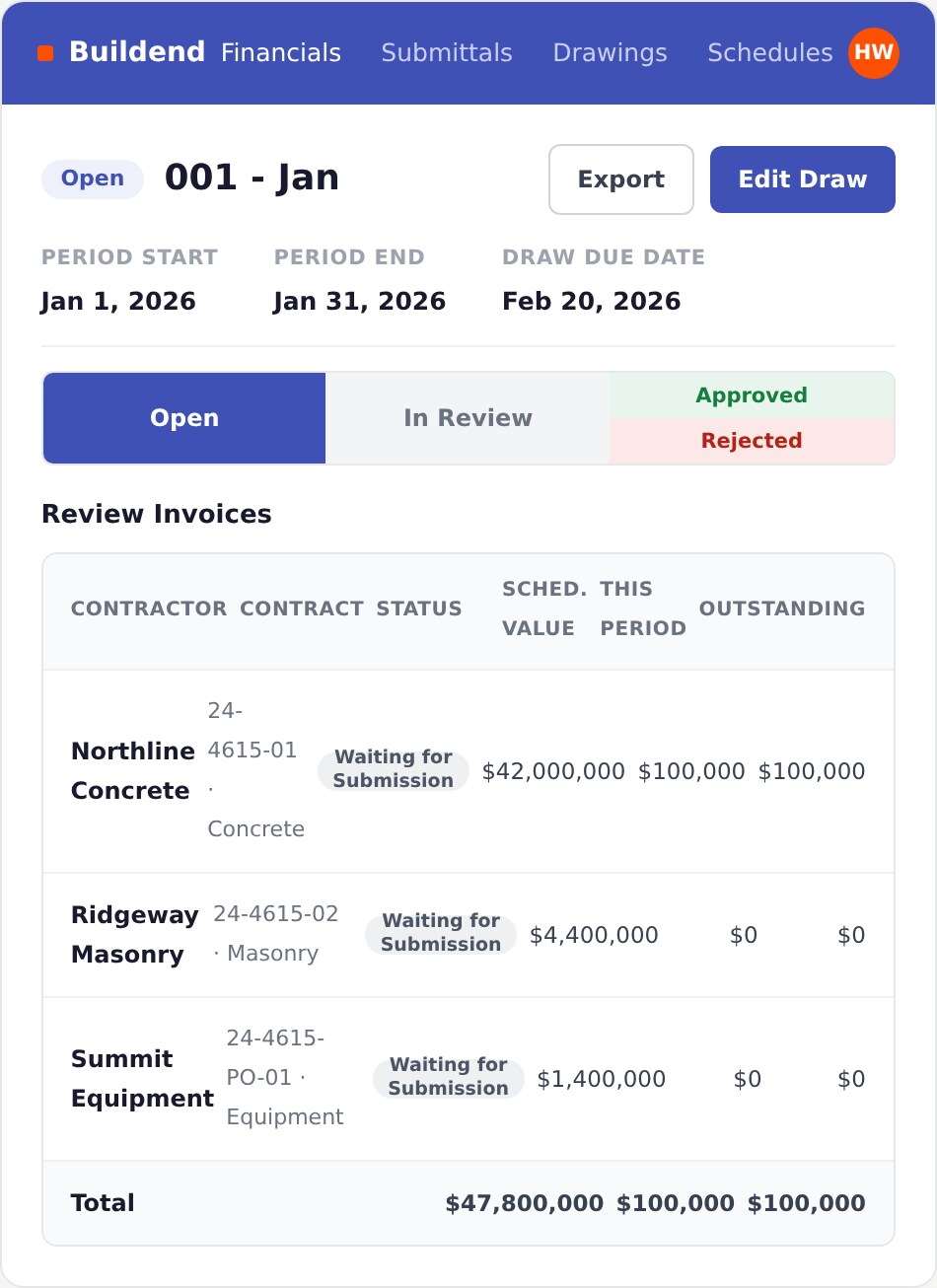
Buildend connects commitment-based invoice checks, configurable approvals, owner draws, and accounting handoffs. Its documented invoicing workflow covers five steps:
- Check vendor invoices against the commitment and remaining budget before approval routing.
- Route invoices through project-specific reviews, with mobile access for approvers.
- Calculate taxes and retainage or holdback at the line level.
- Roll approved vendor invoice amounts into the owner draw.
- Send approved invoices to the connected accounting system, within that integration’s supported scope.
The Sage 100 Contractor integration lists AP and AR invoices and payments, budget line items, cost codes and types, job costs, change orders, and purchase orders. That coverage applies to Sage 100 Contractor - not automatically to another Sage product or QuickBooks edition.
RFIs, submittals, schedules, tasks, drawings, and field records provide operational context alongside financial management.
Buildend pros and cons
Buildend’s documented strengths are invoice-to-draw coordination, configurable controls, and supported adoption. The main buying considerations concern the scope of configuration, migration, and accounting connectivity:
- Pro - Commitment checks, invoice approvals, and owner-draw rollup address specific spreadsheet-driven handoffs.
- Pro - Buildend configures workflows, approvals, permissions, and reports around customer requirements and offers onboarding, migration assistance, and ongoing support.
- Consideration - Define required approval rules and exceptions, who maintains them after launch, and what assistance is included.
- Consideration - Agree on which active-project records, attachments, and financial history transfer, how balances are reconciled, and the exact accounting records supported.
Buildend pricing
Buildend charges a custom platform fee with unlimited users, unlimited storage, all modules included, and no upgrade tiers. Its pricing page does not publish a standard dollar amount.
Implementation costs depend on migration, ERP integrations, cost-code imports, and custom training. Request separate implementation and recurring-subscription amounts in the proposal.
2. Procore - For broad project oversight and stakeholder coordination

Who is Procore best for?
Procore fits contractors coordinating project documents, field work, and financial oversight across many stakeholders. Its unlimited-user model includes owners, consultants, subcontractors, and vendors - not just employees.
Its scope extends beyond document control: contractors seeking budgets, commitments, changes, and forecasting also have financial-management products to evaluate.
How Procore works
Procore combines project coordination with separately scoped financial capabilities. Its documented tools cover two connected areas:
- Project Management centralizes drawings, specifications, RFIs, submittals, and correspondence. Teams link questions and responses to drawings and track review responsibilities.
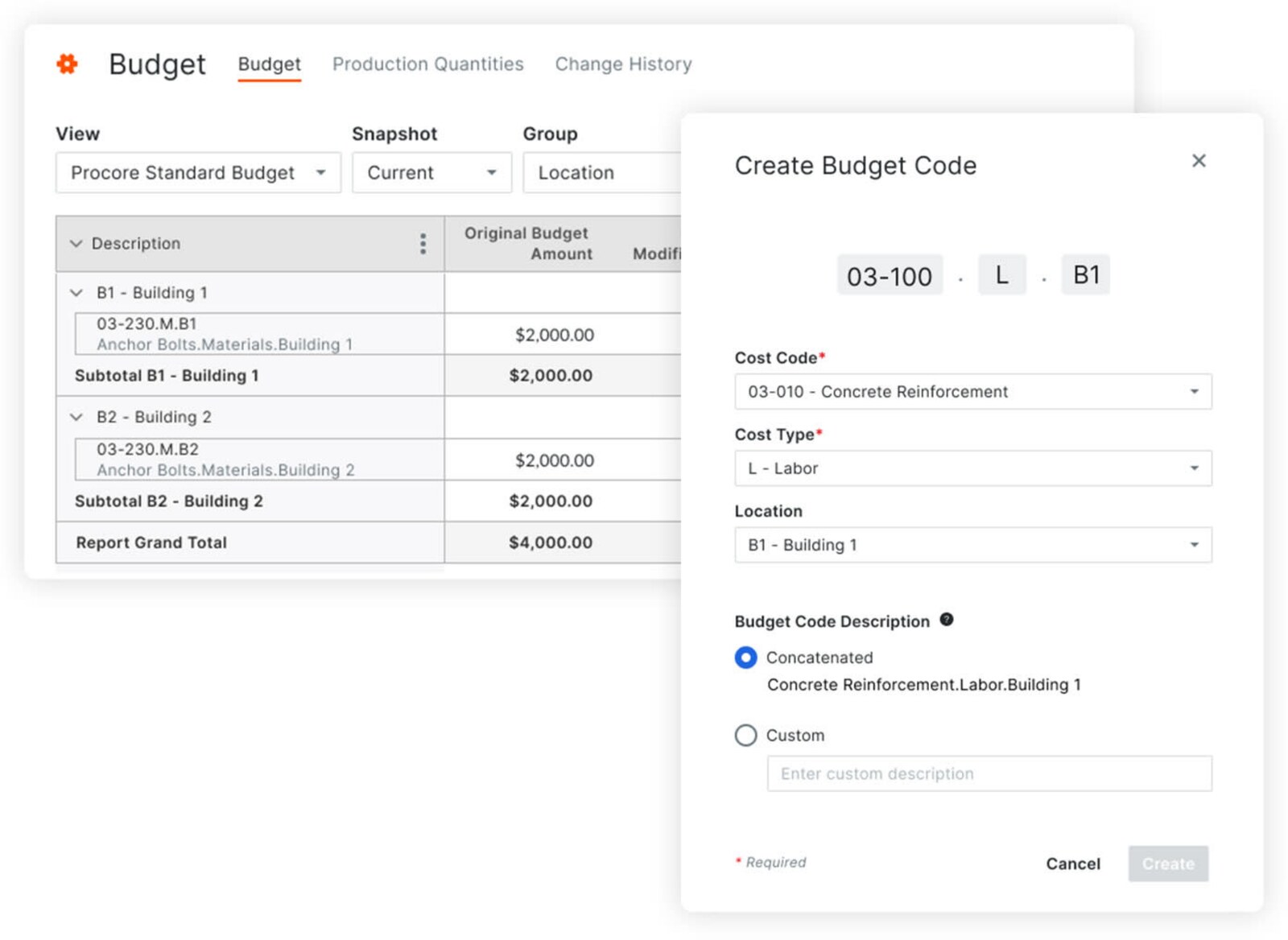
- Project Financials covers budgets, commitments, change orders, forecasting, and approval workflows. Specify the required financial and invoice-management products in the quote rather than assuming they accompany document tools.
Accounting coverage depends on the connector. The QuickBooks Online connector supports Plus and Advanced, excludes Simple Start and Essentials, and connects one QuickBooks Online company per Procore site. Budgets and commitments do not sync through that connector; those restrictions do not describe every Procore integration.
Procore pros and cons
Procore offers broad project coverage and unlimited collaboration, with product scope and connector limits affecting fit. Its advantages and reported friction include:
- Pro - Document, RFI, submittal, field, and financial tools support coordination across internal and external teams.
- Pro - Unlimited users avoid additional seat charges as collaborators join. Procore includes role-based certifications and offers onboarding and implementation services.
- Consideration - Some TrustRadius reviewers report confusing navigation, slow drawing access, or mobile-performance problems. These are reported experiences, not universal defects.
- Consideration - Financial products and accounting connectors need explicit scoping; unsupported transfers leave work outside the platform.
Procore pricing
Procore generally charges an upfront annual fee based on selected products and annual construction volume. Construction volume means the aggregate dollar value of work across your projects. Pricing is customized, with unlimited users and data storage included.
Field Productivity uses a different basis: full-time equivalent employees. Confirm product coverage, implementation services, and volume assumptions in the proposal.
3. Buildertrend - For residential builders and remodelers
Who is Buildertrend best for?
Buildertrend fits established residential builders and remodelers managing homeowner decisions, selections, schedules, and job profitability. Its stated customer focus includes custom, semi-custom, and luxury home builders, high-volume remodelers, and commercial contractors with similar client-intensive workflows.
The defining fit is homeowner involvement - not a particular employee count.
How Buildertrend works
Buildertrend puts homeowner approvals alongside scheduling, project records, and financial tracking. Its documented capabilities include:
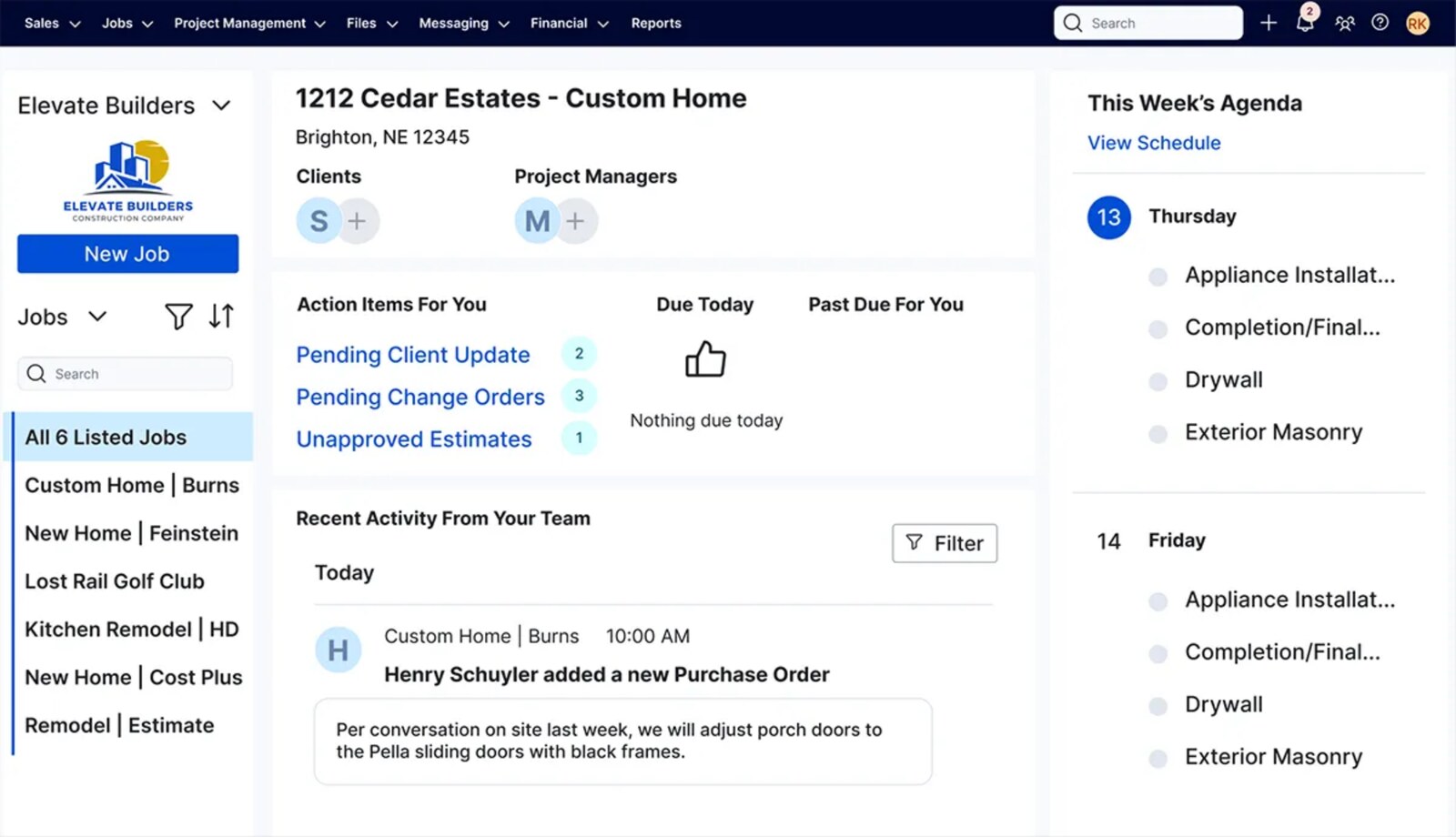
- Scheduling, daily logs, tasks, selections, and change orders for managing project work.
- A client portal for schedule updates, communication, selection approvals, and change approvals.
- Estimating, job costing, budgets, bills, purchase orders, and invoicing for financial management.
A coordinator manages selection decisions and approvals in the same platform used for schedules and costs, rather than maintaining a separate communication log. Buildertrend lists QuickBooks and Xero integrations; supported editions and transaction behavior remain connection-specific.
Buildertrend pros and cons
Buildertrend’s main advantage is residential workflow coverage; advanced setup and daily usability deserve attention. Its strengths and reported challenges include:
- Pro - Homeowner selections, approvals, messaging, and schedule visibility match client-intensive residential work.
- Pro - Role-based learning, virtual training, and onboarding options support adoption, including more hands-on financial setup and coaching.
- Consideration - Capterra’s review analysis reports that templates, financials, scheduling, and integrations require more setup and ongoing training than basic use.
- Consideration - Some reviewers report slow loading, glitches, complex navigation, or accounting-sync difficulties. For model-intensive or differently structured commercial work, establish fit beyond the client portal.
Buildertrend pricing
Buildertrend provides custom quotes with unlimited users and its core toolset. Its published pricing information describes pricing tailored to business characteristics and requirements rather than a standard subscription amount.
Confirm the onboarding tier and included services. Premium services such as onsite consulting and Buildertrend University are not automatically part of the base subscription.
4. Autodesk Forma / Construction Cloud - For connected design and construction workflows

Who is Autodesk Forma best for?
Autodesk Forma fits teams that need design information, models, drawings, and construction records to stay connected. Autodesk Construction Cloud became part of Forma in March 2026.
Forma is the broader ecosystem; Forma Build is the construction-management product. One Forma subscription does not provide every design and construction capability.
How Autodesk Forma works
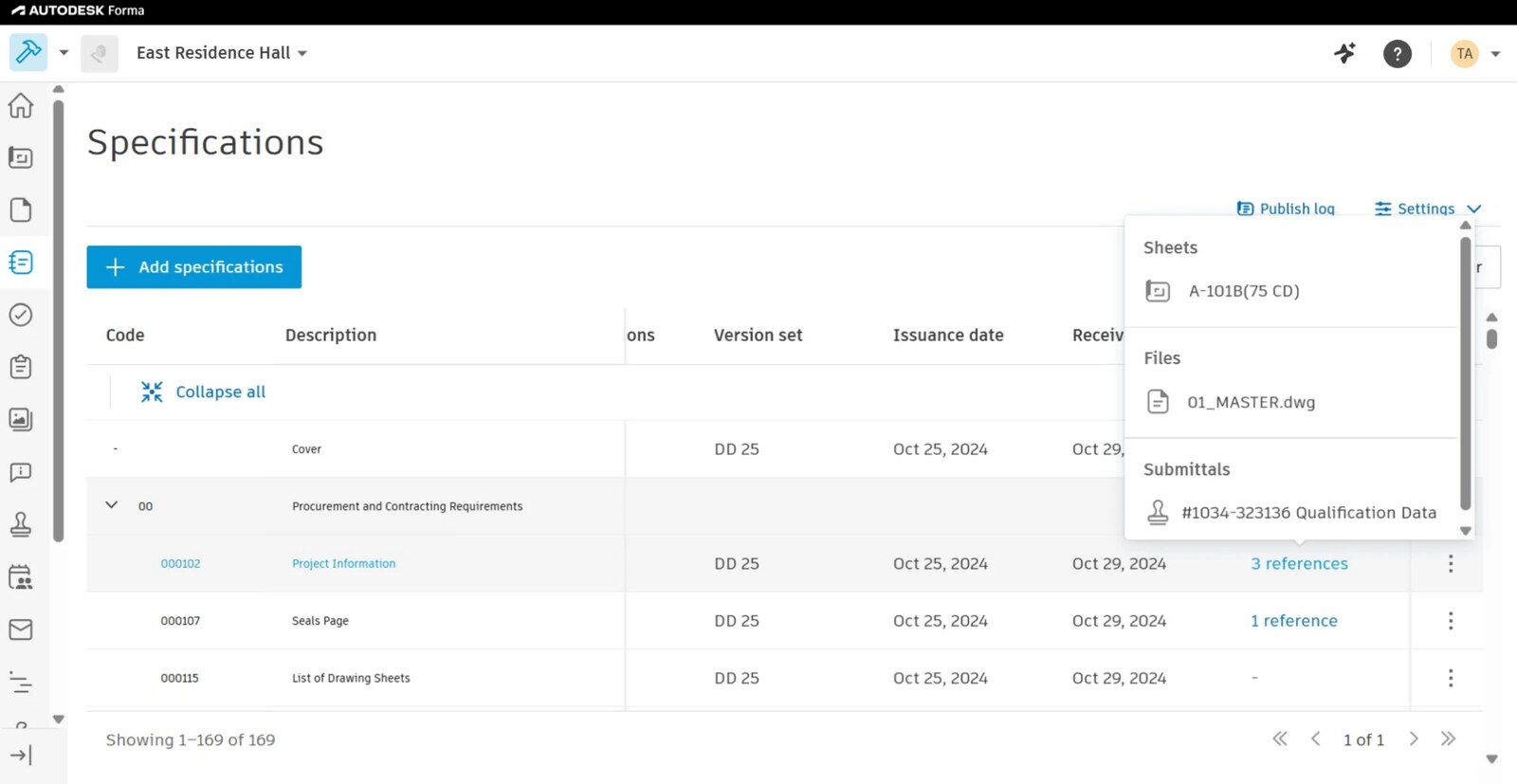
Forma Build combines project and cost management with field, quality, and safety workflows. Forma Data Management, formerly Autodesk Docs, provides the common data environment. Full Build includes:
- RFIs, submittals, and document reviews for project coordination.
- Budgets, contracts, changes, payment applications, and forecasting for financial control.
- Connections from issues and RFIs to potential change orders, preserving the source of a developing cost issue.
Forma Build Essentials focuses on issues, punch lists, forms, photos, files, and model viewing. It excludes full Build’s project-management and cost-management capabilities. Accounting connectivity also requires a specific integration; access to cost tools alone does not establish a working accounting connection.
Autodesk Forma pros and cons
Forma’s strength is design-to-construction context, with capabilities governed by product and license scope. Its advantages and reported challenges include:
- Pro - Shared files and models support construction decisions that depend on design information; full Build adds financial workflows alongside project controls.
- Pro - Essentials and full Build users share a project environment, with access governed by their licenses.
- Consideration - Essentials excludes financial management, and broader design-collaboration requirements need a separate licensing review.
- Consideration - Some Software Advice reviewers report an initially overwhelming feature set, large-file handling delays, syncing problems, or mobile-app friction. Others find navigation straightforward. The listing covers multiple Autodesk tools, so relate feedback to the specific product and devices under evaluation.
Autodesk Forma pricing
Published US subscriptions start at $800 per user annually for Forma Build Essentials and $1,400 for Forma Build. Autodesk lists these billing options:
- Forma Build Essentials: $800 per user annually, or $100 per user on monthly billing.
- Forma Build: $1,400 per user annually, or $175 per user on monthly billing.
- Unlimited-user Forma Build: Contact sales.
Other Forma products, bundles, and integration requirements affect the overall scope and price.
5. Fieldwire - For drawing-led field coordination

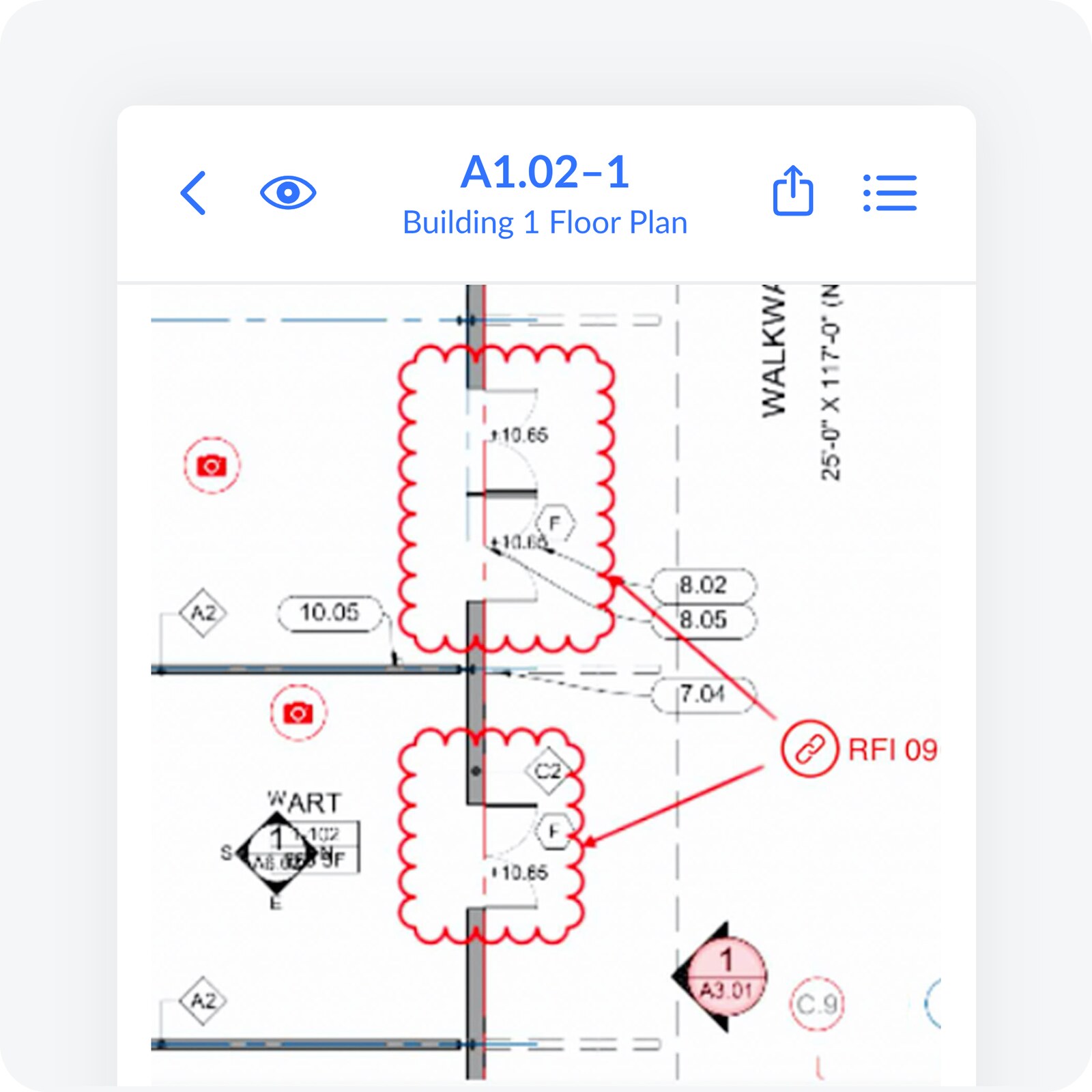
Who is Fieldwire best for?
Fieldwire fits general contractors and specialty contractors prioritizing current drawings, assigned tasks, inspections, and punch lists. It complements an existing office system when field execution is the gap. Business Plus also includes budgets and change orders, extending its scope beyond field documentation.
How Fieldwire works
Fieldwire organizes work around drawings and location-based tasks. Teams assign items, attach photos and checklists, and track completion for punch lists, walkthroughs, inspections, and daily coordination.
Its mobile apps support offline work with downloaded project data, as described in this independent assessment. Download the required content before losing connectivity.
The paid tiers add progressively broader controls:
- Pro adds reports, exports, sheet comparison, project templates, and custom task statuses.
- Business adds custom forms, app integrations, a BIM viewer, and custom task fields.
- Business Plus adds RFIs, submittal management, change orders, and budgets.
Business Plus’s financial tools do not replace full accounting, payroll, or estimating. App integrations also require verification of supported accounting records and transfer behavior.
Fieldwire pros and cons
Fieldwire provides focused field coordination, with feature access and user counts determining the required subscription. Its strengths and buying considerations include:
- Pro - Drawing-linked tasks, photos, and checklists give crews a practical way to document and resolve work onsite.
- Pro - The free Basic plan supports a small-group evaluation; paid tiers expand project controls without replacing the core field workflow.
- Consideration - Custom inspection forms require Business or above. Budgets, change orders, RFIs, and full submittal management require Business Plus.
- Consideration - Standard paid plans charge per user, including external participants who need paid access. Tailored training and dedicated success support require a separate scope discussion.
Fieldwire pricing
Fieldwire offers a limited free plan and standard paid plans from US$39 per user per month with annual billing. Its published rates are:
- Basic: Free for up to five unique users, three projects, and 100 sheets across the account.
- Pro: $39 per user per month billed annually, or $54 on monthly billing.
- Business: $64 per user per month billed annually, or $79 on monthly billing.
- Business Plus: $89 per user per month billed annually, or $104 on monthly billing.
Paid tiers include unlimited projects and sheets. Custom contracts offer unlimited-user options; discuss API access, single sign-on, and tailored support separately.
How to choose the right construction management software
Choose the platform that proves it handles your required workflows at an acceptable cost, administrative workload, and switching risk. Use the same five-step evaluation for each shortlisted vendor:
- Diagnose spreadsheet workarounds.
- Test a complete financial workflow.
- Verify the accounting connection.
- Test daily work with the people doing it.
- Compare migration, ownership, and total cost.
Diagnose spreadsheet workarounds
Turn two or three recurring workarounds into requirements before booking demos. Choose examples such as an Excel forecast, emailed invoice approvals, or a separate change log. For each, record who enters and approves the information, where it gets re-entered, the time spent, and the consequence of a missed handoff.
Establish why the workaround exists: a missing capability, an incomplete integration, incorrect permissions, or an undefined process. If the capability already exists, ask your current provider to demonstrate the configuration or process change needed before evaluating a replacement.
Have operations and accounting divide the requirements into two groups:
- Must-haves that resolve the broken workflow, such as project-specific approval thresholds or approved-cost transfers to your exact accounting system.
- Optional features that add convenience without determining whether the workflow succeeds.
Use the must-haves as pass/fail criteria throughout the evaluation.
Test a complete financial workflow
Ask every vendor to demonstrate the same real case from source record through approval, financial impact, and accounting. Bring anonymized project records and choose one scenario:
- A documented change: Follow a field record or request through review, pricing, and approval into the relevant contract, commitment, budget, and forecast.
- An invoice exception: Follow an invoice needing correction through return, resubmission, and approval, then into accounting and owner billing where applicable.
Ask the vendor to identify the required plan, modules, connectors, and steps handled outside the platform. These are tests to request, not capabilities to assume every product includes.
At each handoff, check who acts, what they can see or edit, and whether supporting records and approval history remain accessible. Have accounting reconcile the final amounts to the source documents. Record every remaining spreadsheet, export, and manual adjustment, then decide whether each meets your acceptance criteria.
Verify your accounting connection
Verify record-level behavior for your exact accounting setup - not just the integration name. Give the vendor your product, edition, country version, and company structure. Procore’s QuickBooks Online documentation, for example, specifies supported subscriptions and separate rules for vendors, job costs, invoices, and payments.
Request a written map of the records your workflow needs, including relevant cost codes, budgets, commitments, changes, invoices, payments, taxes, and retainage. For each record, document:
- Direction and ownership: Which system creates and maintains it, and which receives it?
- Timing and approval: What triggers the transfer, and who releases it?
- Corrections and exceptions: How does the connection handle failed transfers, duplicates, edits, voids, and deletions?
- Support responsibility: Who resolves problems across the platform, connector, and accounting system?
Have accounting witness a sample transfer and correction in a test environment. Keep anything the vendor cannot verify marked as unconfirmed.
Test daily work with your workflow champion
Have your coordinator or administrator run the workflow using the permissions they actually need. Request a hands-on session after the guided demo, with representative field users and accounting involved.
Assign each participant a task:
- Field user: Submit supporting information from a phone using the devices and connection conditions expected onsite.
- Project reviewer: Return an item for correction and review the resubmission.
- Accounting user: Retrieve the approved record and its supporting documents.
- System owner: Change an approval threshold or replace an approver.
Record where users need help and which configuration changes require vendor assistance. Use the results to define training, administrator responsibilities, and the support needed after launch.
Compare migration, ownership, and total cost
Compare written proposals for the configuration that passed your tests, including the work required to launch and maintain it. Include required modules, connectors, implementation, data cleanup, migration, training, support, internal staff time, and overlapping subscriptions. Ask how charges change as usage grows and at renewal; vendors use different pricing bases.
Request a sample migration of an active project before signing. Confirm which documents, commitments, pending changes, invoice statuses, approval histories, and financial balances transfer, and which remain in an accessible archive. Have accounting reconcile the imported totals and your workflow champion verify that open items resume at the correct stage.
Require the rollout plan to name who cleans and validates data, maintains permissions and approval rules, and authorizes cutover. Set a cutoff for updates in the old system and agree on a fallback if the pilot fails. Compare moving active projects with starting only new jobs in the platform, including the cost of running both systems. Base the purchase decision on verified requirements and an agreed transition plan - not unresolved promises.
Common mistakes when buying construction management software
A polished demo proves little if your team still bridges approvals, forecasts, and accounting with spreadsheets. These six buying mistakes leave that manual work unresolved.
Comparing feature counts instead of complete workflows
Separate budget, invoice, and change-order features do not prove that information moves between them. A demo that jumps between completed screens leaves the handoffs unexplained - and hides who updates the forecast or reconciles the amounts.
Challenge skipped handoffs. If an approved change still requires rekeying or a spreadsheet export, count that work as an unresolved requirement, not a demonstrated capability.
Assuming an accounting integration syncs everything
An accounting integration does not guarantee complete, two-way synchronization. Procore’s QuickBooks Online connector documentation, for example, specifies edition restrictions and coding requirements. It also states that edits to synced vendor records do not update the corresponding record in the other system.
Treat “integrates with our accounting system” as an incomplete answer. Confirm how the connection handles the records and updates you rely on; otherwise, manual reconciliation remains part of the job.
Treating configurable approvals as effortless to maintain
Configurable approvals still require someone to maintain roles, permissions, and routing rules. Procore’s workflow guide, for example, requires current project roles and appropriate permissions even with automated role-based assignment. Outdated responsibilities put approvals at risk of stalling and send staff back to email.
Name an administrator and a backup, and establish what they maintain after launch. Configuration support does not remove your responsibility for keeping approval rules accurate.
Choosing on subscription price alone
The lowest subscription price is not the lowest cost of a usable system. Required features change the comparison: Fieldwire places custom forms and app integrations in Business, while budgets and change orders require Business Plus.
Reject comparisons based on different feature scopes. Account for setup, training, connector charges, overlapping subscriptions, and internal administration - not just the recurring fee. Leaving these out understates both the purchase cost and the workload your team takes on.
Planning migration only after signing
Agreeing to buy before defining migration leaves transition effort and active-project risk unresolved. “Migration assistance” does not specify which records move, who cleans them, or how your team accesses historical backup. An imported file alone does not establish that billing and approvals can continue correctly.
Agree on scope, responsibilities, and acceptance criteria before signing. For active jobs, require reconciled balances and usable supporting records - not just confirmation that an import finished.
Assuming a new platform will fix an undefined process
New software does not settle disagreements about authority or financial status. If operations and accounting disagree about who approves extra work or when a change enters the forecast, configuration preserves that ambiguity rather than resolving it. Staff still need separate interpretations and tracking.
Settle the disputed rule before configuring it: who decides, what “approved” means, and which system owns the figure. Replacement addresses software gaps; process ownership remains your responsibility.
Wrap up: What’s the best construction management software?
The best construction management software fits your operating model and connects project decisions to financial control. No single platform is best for every contractor.
Shortlist by the work you need to connect:
- Buildend for connected financial workflows and configurable approvals.
- Procore for broad project oversight and stakeholder coordination.
- Buildertrend for residential projects, homeowner communication, and selections.
- Autodesk Forma for connections between design, models, documents, and construction.
- Fieldwire for drawing-led field coordination and task tracking.
If spreadsheets still bridge invoice approvals, owner draws, and accounting, give Buildend a closer look. Its documented invoice-to-draw workflow addresses those handoffs; the recommendation depends on validating your approval rules and exact accounting connection, not assuming every integration supports the same records.
Bring a current spreadsheet-driven financial workflow and your accounting requirements to a Buildend demo, and test the same scenario with your shortlist. Trace an invoice or change from its source record through approval, financial impact, and accounting. Choose based on what the demonstration verifies - and what remains manual - not the longest feature list.
FAQs
What is the best construction management software for a growing contractor?
The best choice fits your project type, approval rules, accounting setup, and budget - not a particular employee count. Financial control, homeowner communication, model coordination, and field execution call for different priorities.
If financial handoffs drive the purchase, favor the platform that demonstrates your invoice or change moving through approval, budget impact, and accounting with acceptable remaining manual work. A longer feature list does not establish that fit.
What is the difference between construction management and construction accounting software?
Construction management software coordinates project work; construction accounting software maintains the financial books. Project tools manage records, schedules, commitments, changes, and approvals. Accounting handles the general ledger, accounts payable and receivable, payroll, and financial reporting, as Sage 100 Contractor’s documentation illustrates.
The categories overlap in job costing and billing. Budget tracking and invoice approvals alone do not replace accounting; establish which system owns each financial record.
Can construction management software replace financial spreadsheets?
Yes - for workflows the platform supports, not necessarily every financial spreadsheet. Buildend documents commitment-based invoice checks, configurable approvals, and approved-invoice rollup into owner draws. Those capabilities address specific checks and billing worksheets; replacing yours depends on matching your rules and billing requirements.
Keep spreadsheets for deliberate analysis, such as scenario modeling. Prioritize replacing those that require repeated re-entry or reconciliation just to establish the current approved figures.
What should I check in a QuickBooks or Sage integration?
Check compatibility with your exact product, edition, regional version, and required records. A QuickBooks or Sage logo does not establish that scope. For example, Procore’s QuickBooks Online connector requires Plus or Advanced and limits subcontractor-invoice payment imports to U.S. versions.
Get written confirmation of three things:
- Which records transfer, in which direction, and with what detail - including cost codes, taxes, and retainage.
- What triggers transfers and how approvals, errors, corrections, and duplicates are handled.
- Who supports the connector and what setup and ongoing charges apply.
How much does construction management software cost?
Cost depends on the pricing model, required features, and implementation scope. Fieldwire Pro lists US$39 per user per month billed annually; higher tiers cost more. Procore prices by selected products and annual construction volume, except Field Productivity, which uses full-time-equivalent employee pricing. Buildend provides custom platform quotes with unlimited users and all modules included; implementation costs depend on requirements.
Compare quotes for the same scope. Include migration, connectors, training, internal administration, renewal terms, and overlapping subscriptions - not just the subscription price.
Can we switch platforms while projects are active?
Yes, with a defined migration scope and cutover plan - not a guarantee that all project history transfers. Decide whether active jobs finish in the old platform or move to the new one. Import requirements differ by tool, as Procore’s import guidance shows.
For jobs that move, agree on the records, attachments, and approval history included; what stays in an accessible archive; and when each system stops accepting updates. Validate financial balances and open approvals before signing off. Set the schedule around the agreed scope and validated data, not an assumed migration timeline.
When should we replace our current platform rather than reconfigure it?
Replace it when a required workflow remains unsupported or impractical to maintain; reconfigure it when the capability exists but the setup or process is the problem. Permissions, approval rules, training, and unclear ownership deserve attention before a platform change.
Ask your current provider to demonstrate the missing workflow and quote the fix. Compare that cost and ongoing workload with a replacement’s migration effort and administration. A new platform does not resolve an undefined approval process or disagreement over which system owns a financial figure.